

Capybara: GitHub, Linear, Azure DevOps for Jira & JSM makes it easy to comment on linked GitHub, Linear, and Azure DevOps tasks from Jira work items. Comments can be synced from Jira to your Git platform and vice versa.
An Azure DevOps administrator must connect to Capybara to allow webhooks to be created.
If this connection is not established, users can still connect Capybara to their own instance and link work items, but comment updates will not be received.
-
Open the Jira issue or JSM request that has a linked development task.
-
Locate the Capybara panel under the Jira issue description.
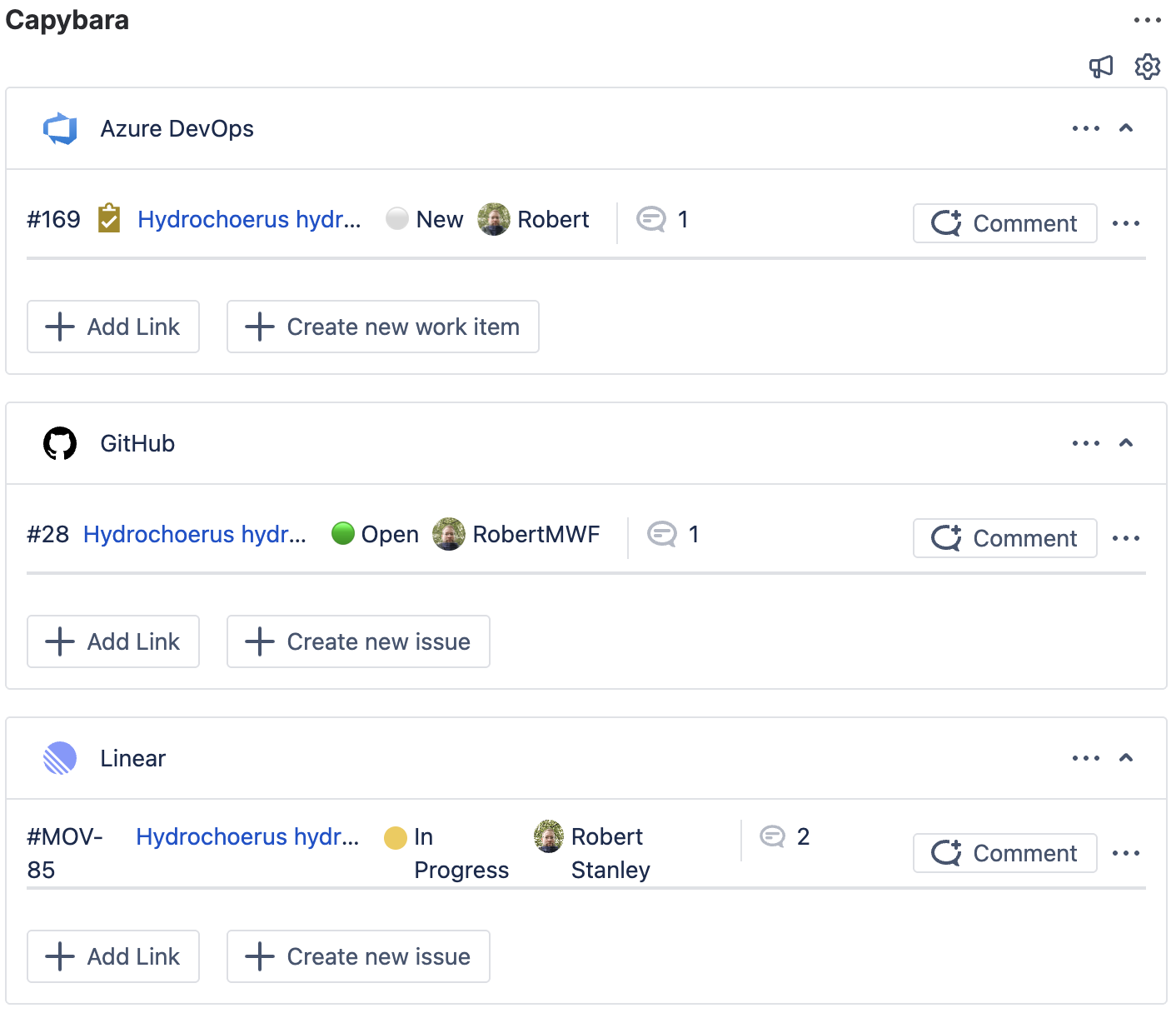
-
Open the three-dots menu next to the linked task, then choose Edit notification settings.
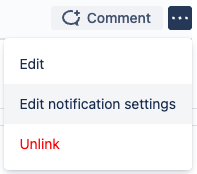
-
This will display the Notification Settings section beneath the linked task.
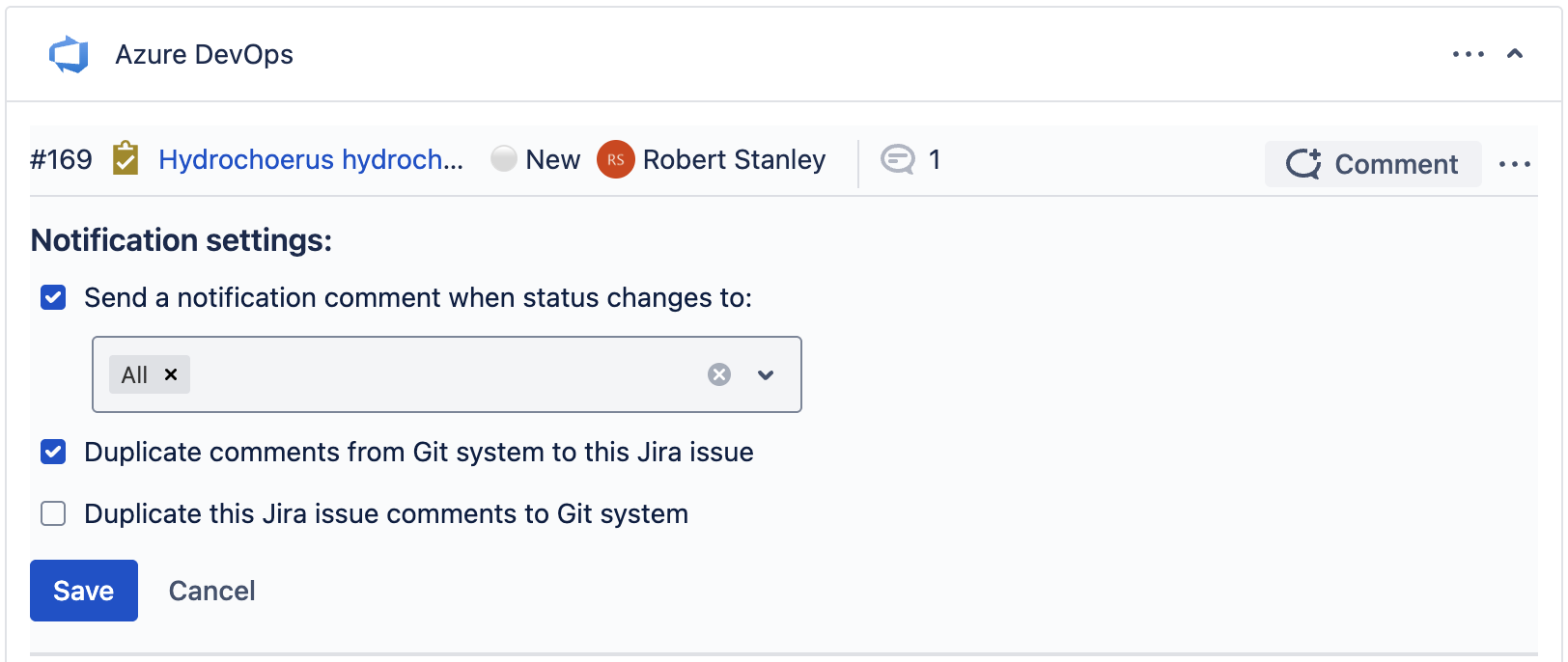
The Notifications settings section is also present when creating a new Azure DevOps work item or GitHub/Linear tasks within Capybara panel.
-
To sync comments from the external platform to Jira, enable Duplicate comments from Development system to this Jira issue.

-
To sync Jira issue comments back to Azure DevOps, GitHub, or Linear, enable Duplicate this Jira issue’s comments to the Git system.

-
Click Save to apply your settings. Comments will now sync between platforms, allowing Jira users and developers to collaborate on tasks without switching tools.