

You can use Automated Assignments feature by:
-
Creating your own automation (recommended)
-
Using pre-made recipe
Create your own automation (recommended)
Access automation center
-
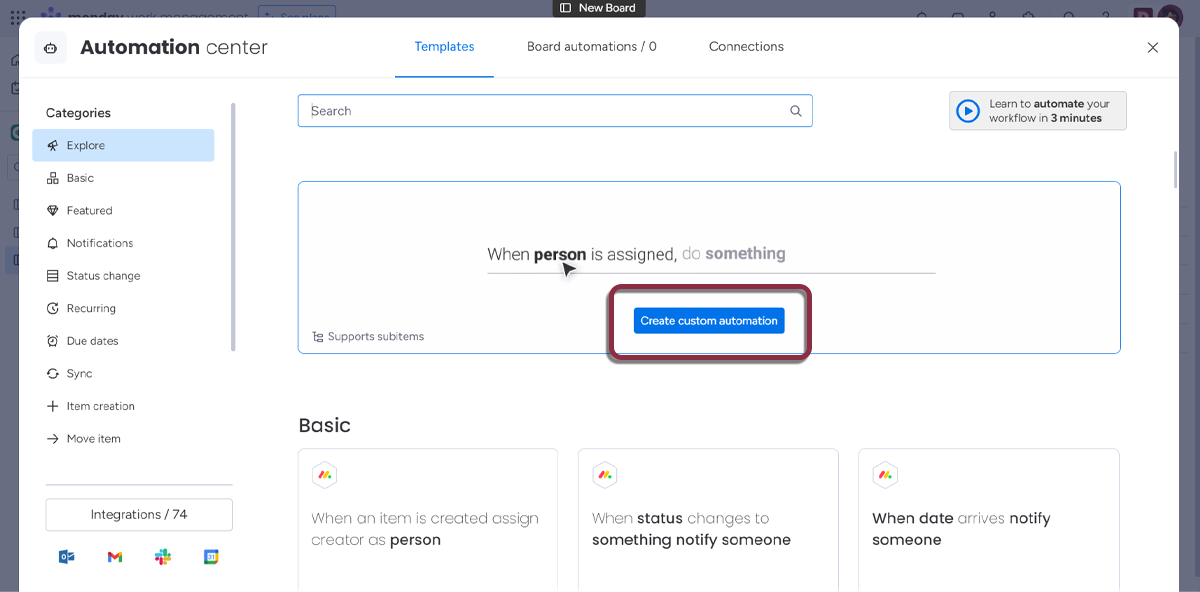
Open the Automation Center from your board using the top-right Integrate button.
-
Click on the Create custom automation button. You can also access this part by clicking on the Board automations /x tab at the top.
Define your automation
-
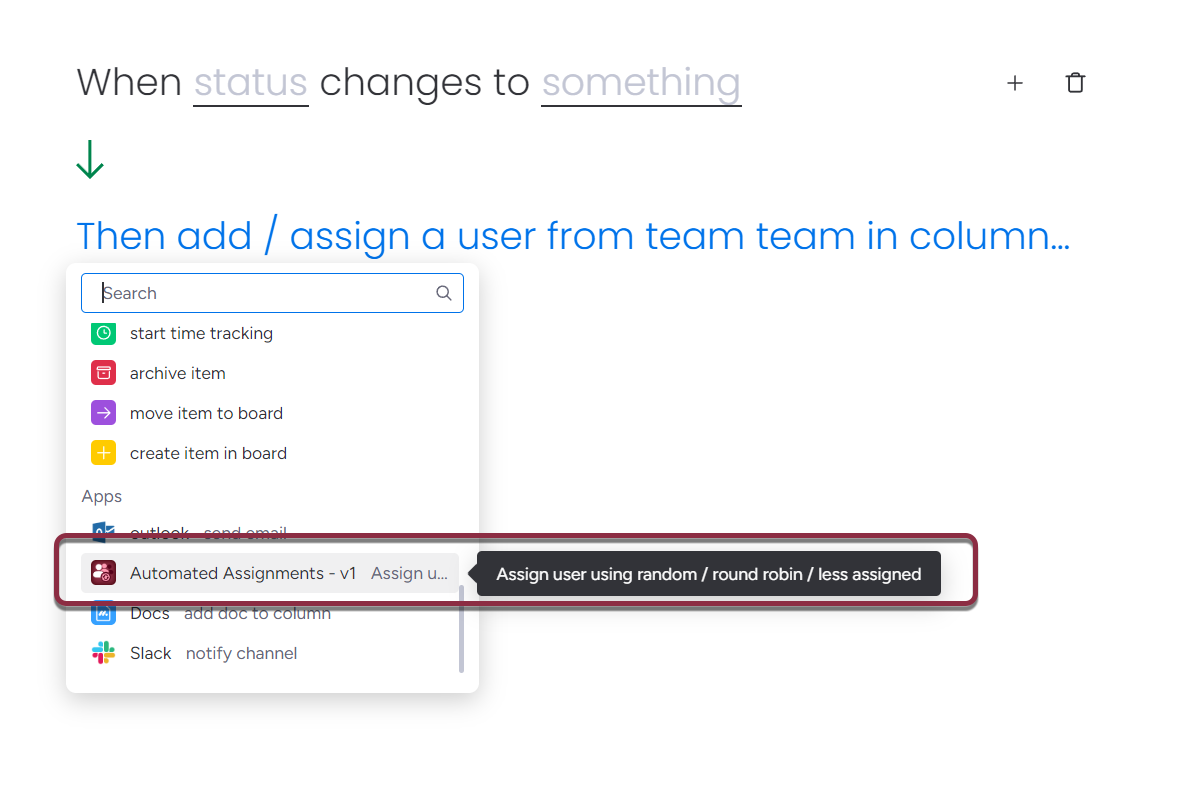
First, on the automation creation page, select the trigger you want to use (for this example we are using: When status changes to something)
-
Then, in the Action selection, pick Automated Assignments
-
You can now setup the automation parameters
Configure your automation action
Automated Assignments require 4 parameters in order to workflow
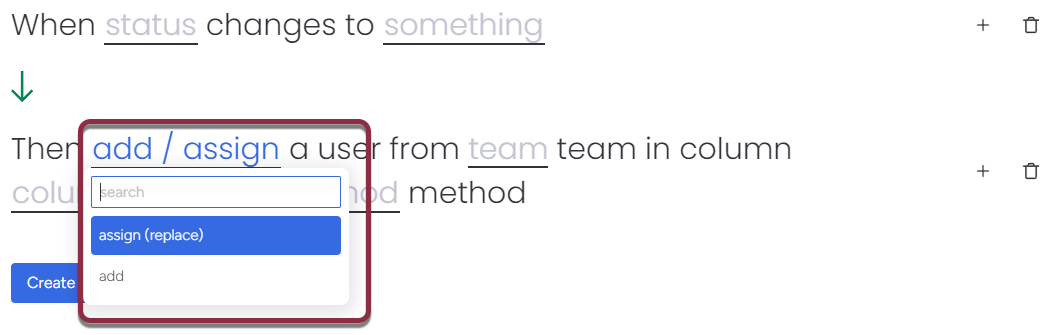
Add or replace selected user in target column
-
Add: picked user will be added to the people column, existing values will be preserved.
-
Assign (replace) a user: replace any existing value by the picked user
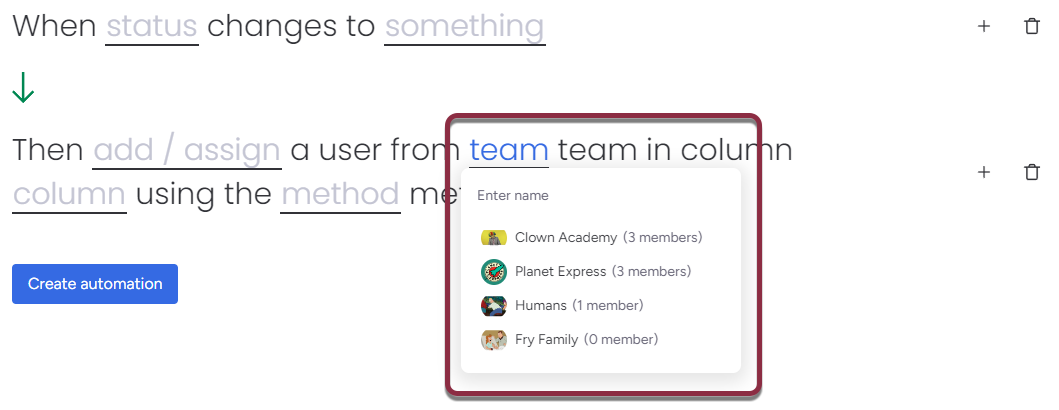
Select team
Select the http://monday.com Team whose user will be picked from
People column
Select the board's column where to set the picked user. It must be a People type column.
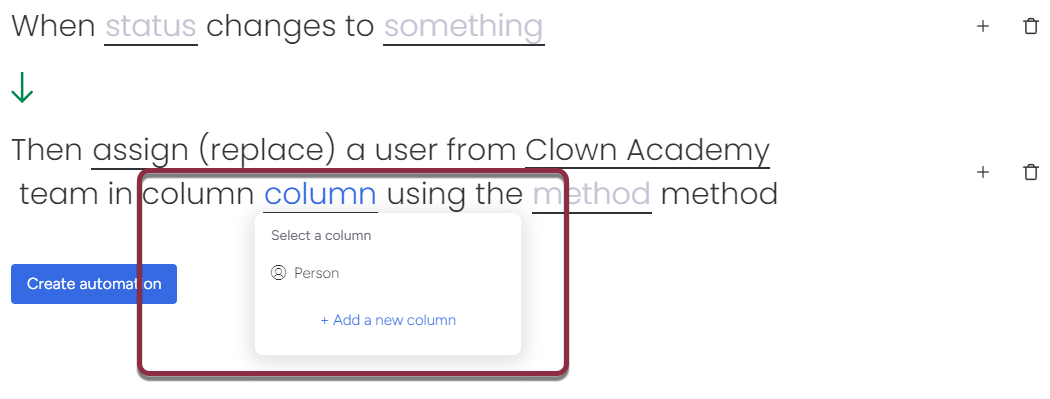
Assignment method
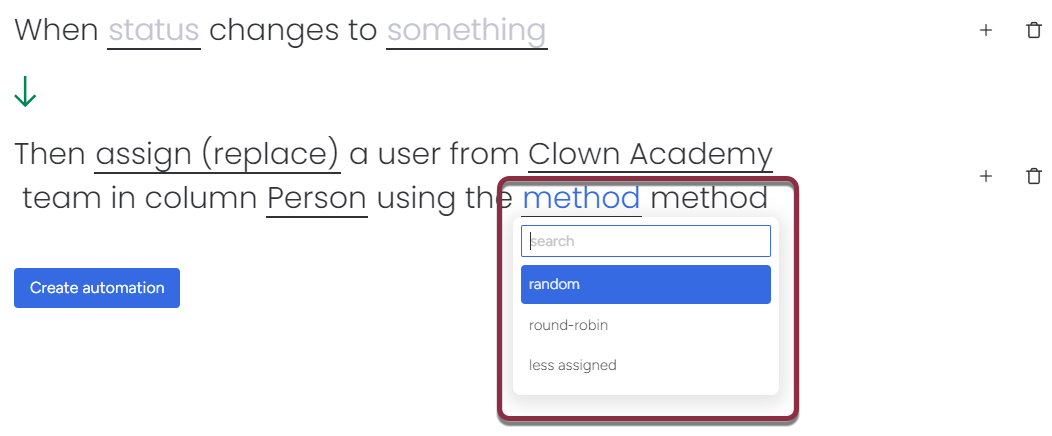
-
Random: assign items randomly to team members
-
Round-robin: equitably distribute items among team members in a sequential manner.
-
Least assigned: Assign items to the team member with the least number of ongoing items, optimizing workload balance.
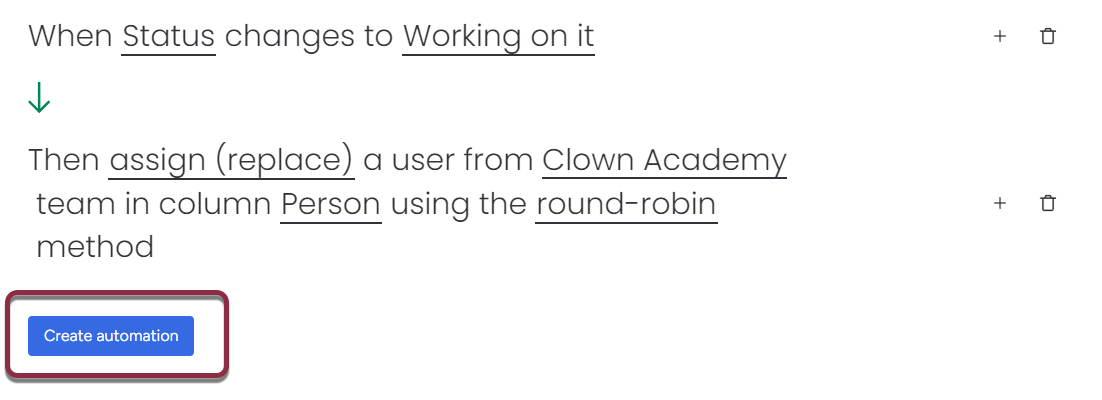
Save your automation
Once you have set-up your automation, click on Create Automation button to save and run it.
Use pre-made recipes
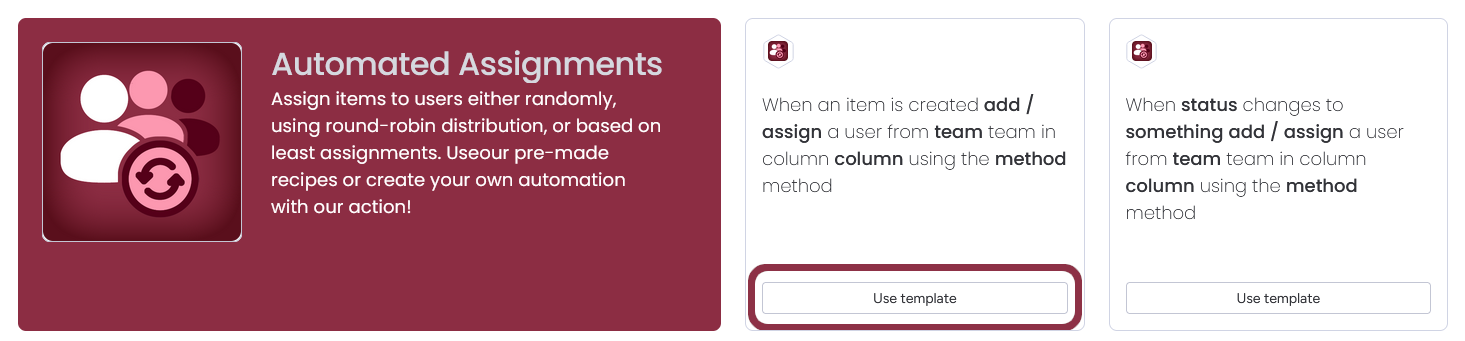
Automated Assignments also come with 2 pre-made recipes:
-
"When an item is created, then [run Automated Assignments]"
-
"When status change to something, then [run Automated Assignments]"
You can reproduce these recipes by using the monday automations system described before.
To use pre-made recipe:
-
Open the Automation Center from your board using the top-right Integrate button.
-
Click on the bottom-left "Integrations / x" buttons
-
Search "Automated Assignments"
-
Select the Automated Assignments app
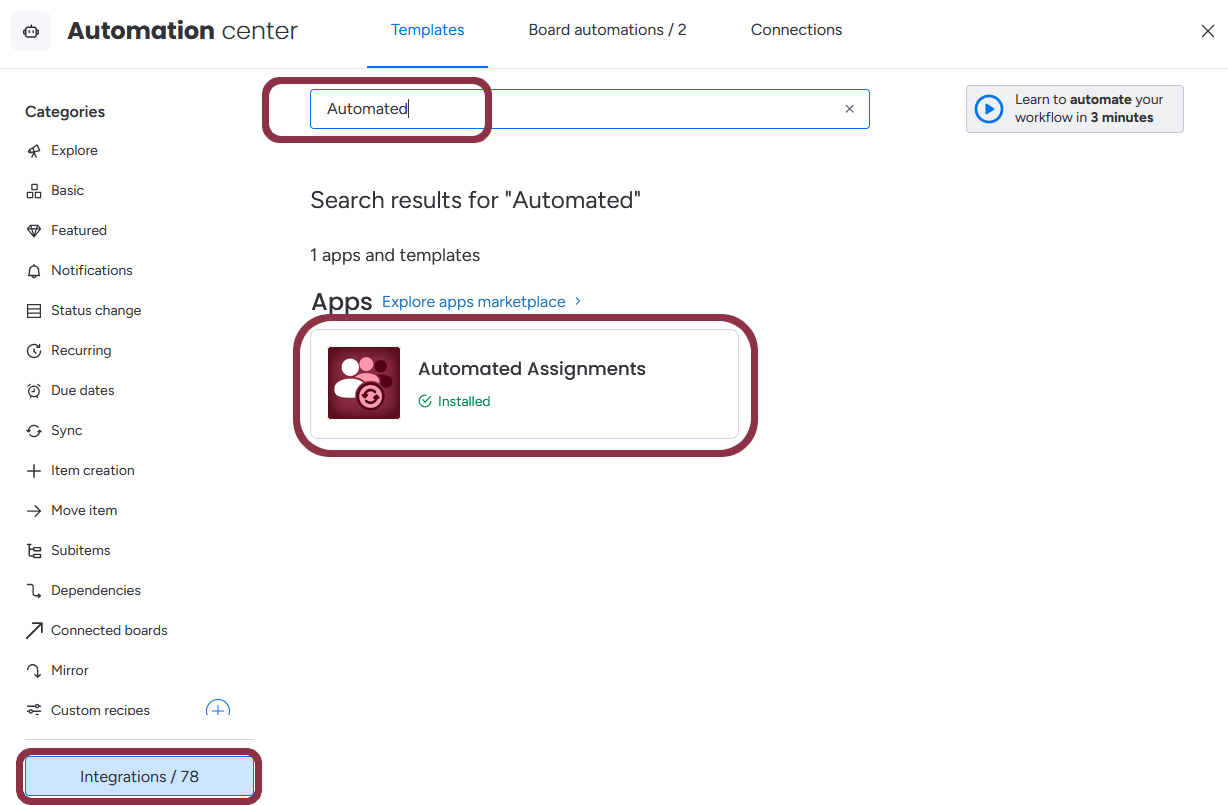
Now you should see the two available recipes. Click on the "Use template" button to use them.
Updated: