

Board view
How to add the application to a monday board.
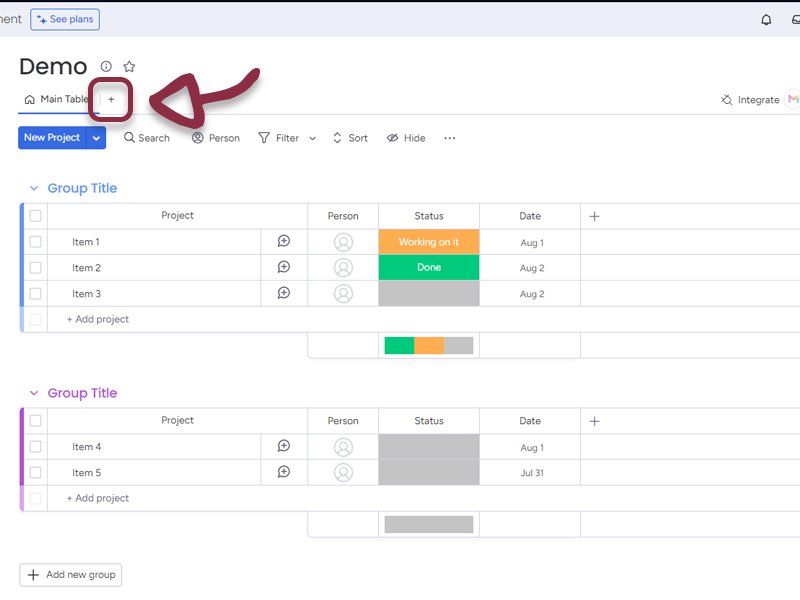
From your selected Board, click on the + Button
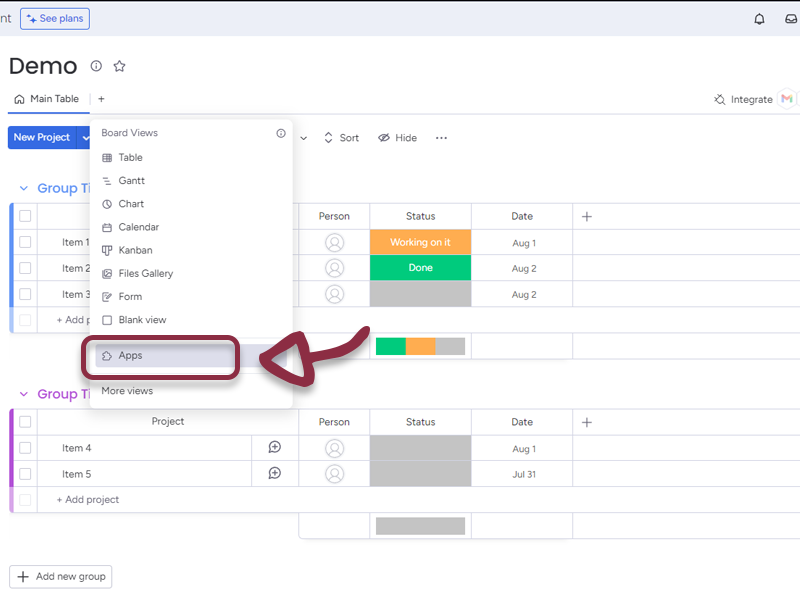
Select Apps in the menu
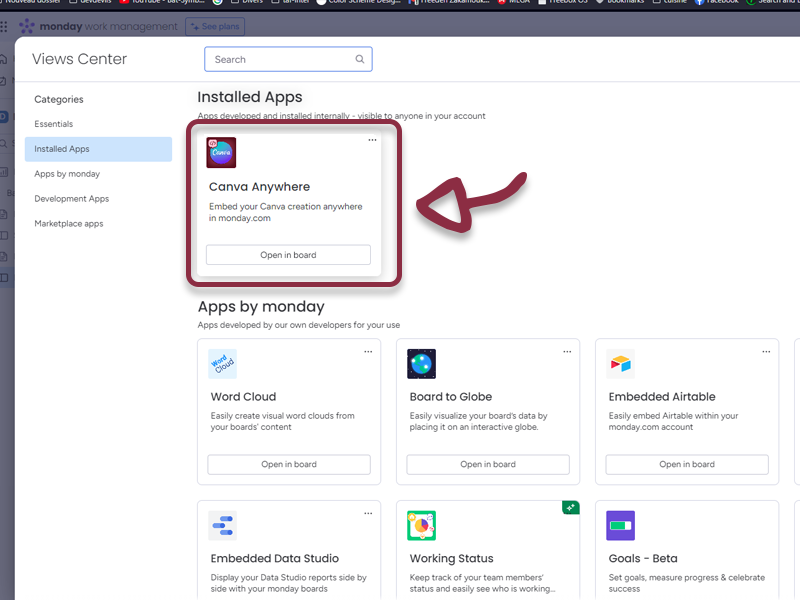
Select Installed Apps and Click on the Canva Anywhere – Board app
Item view
How to add the application to an item view
From your selected Board, select an item from the board to open the right panel, then, click on the + Button
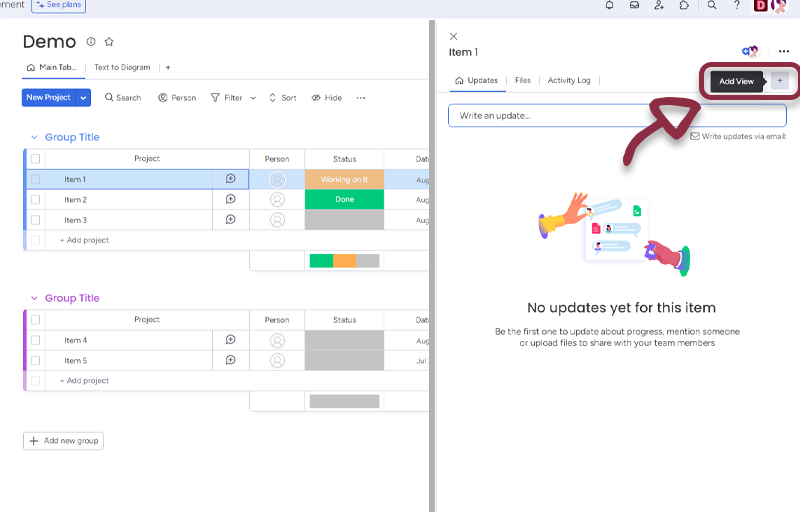
Select Installed Apps
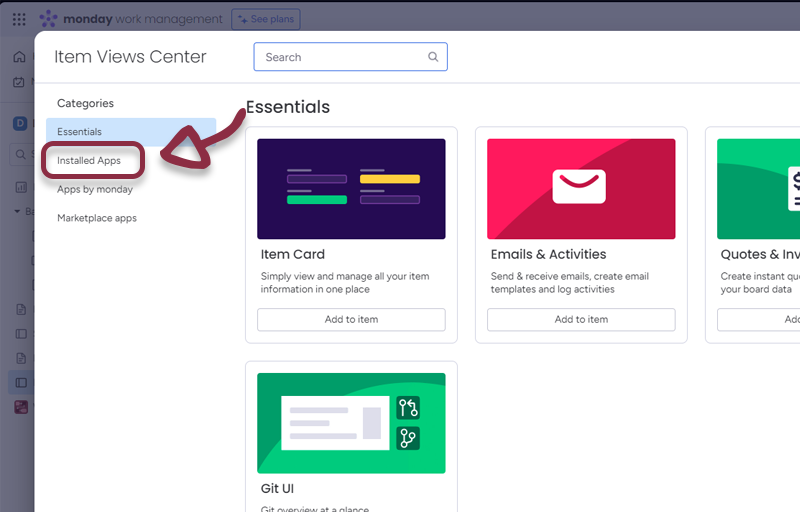
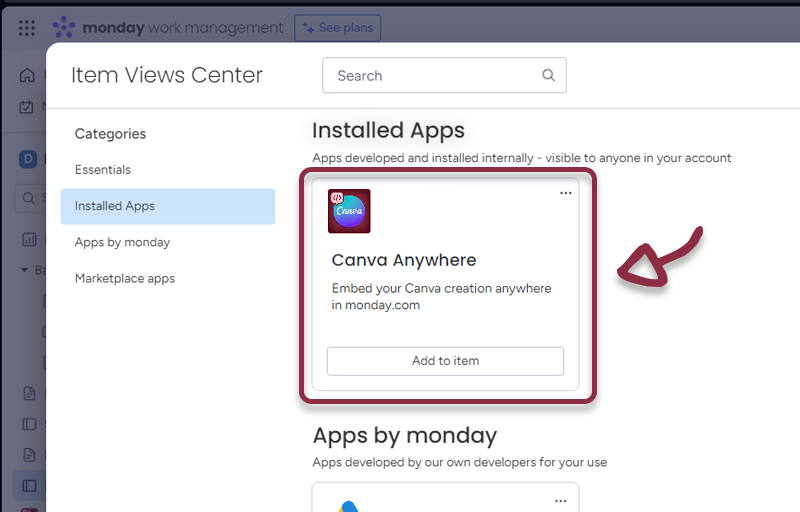
Click on Canva Anywhere – Items
Dashboard Widget
How to add the application to a http://monday.com dashboard
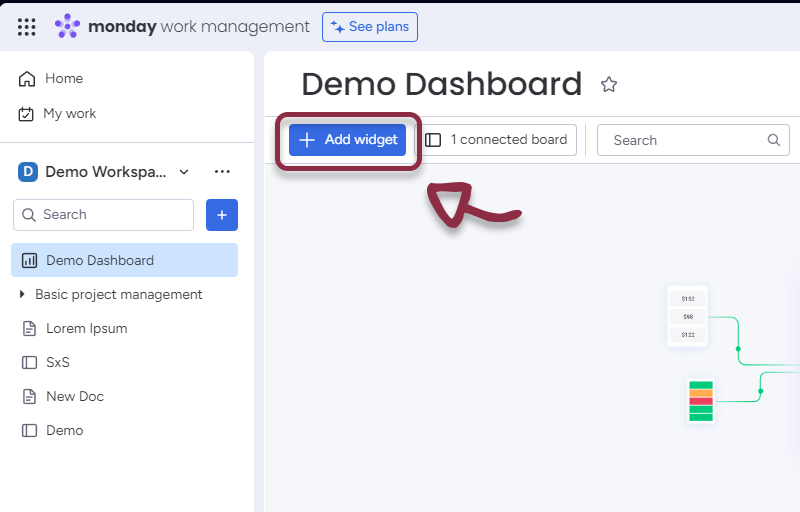
From your selected Dashboard, with edit permissions (you need to have the Owner rights), click on the Add Widget Button
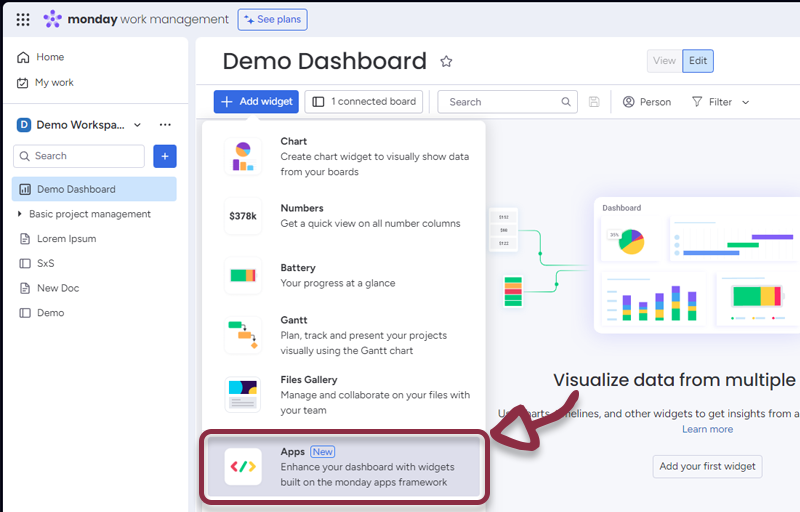
Select Apps in the menu
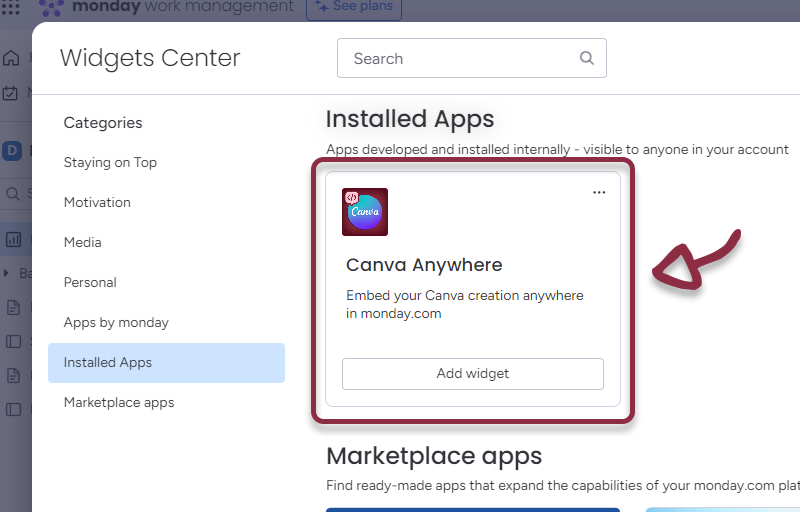
Select Installed Apps
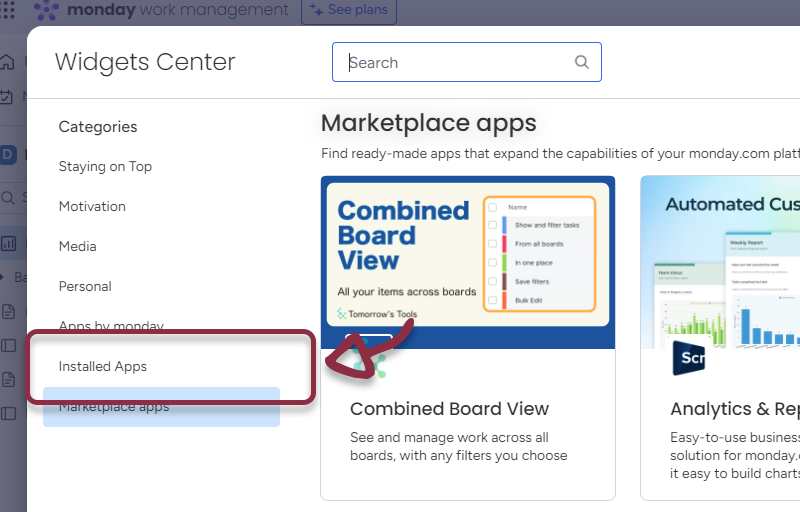
Click on the Canva Anywhere – Widget app
Workspace view
You can also use Canva Anywhere in Workdocs as Widget.
Click on the + Button in the left column
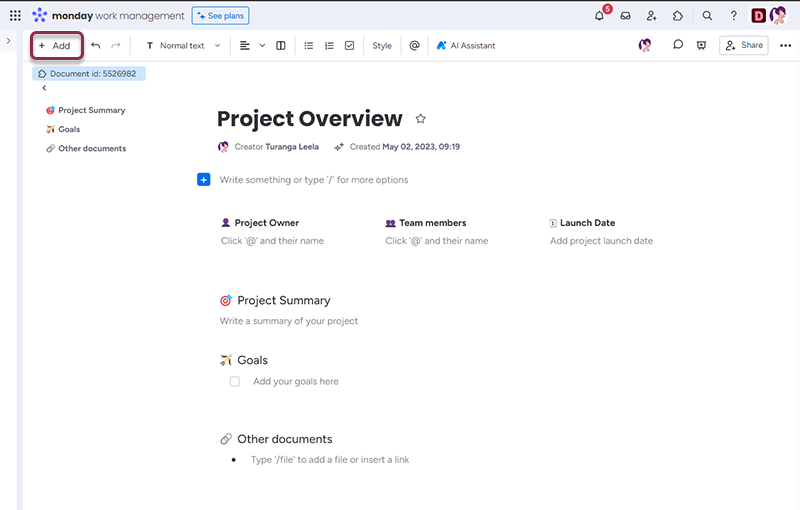
Select More options
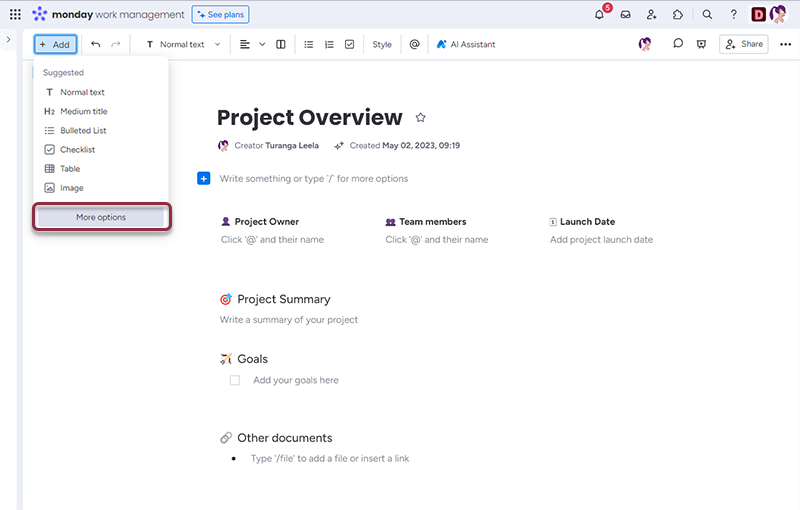
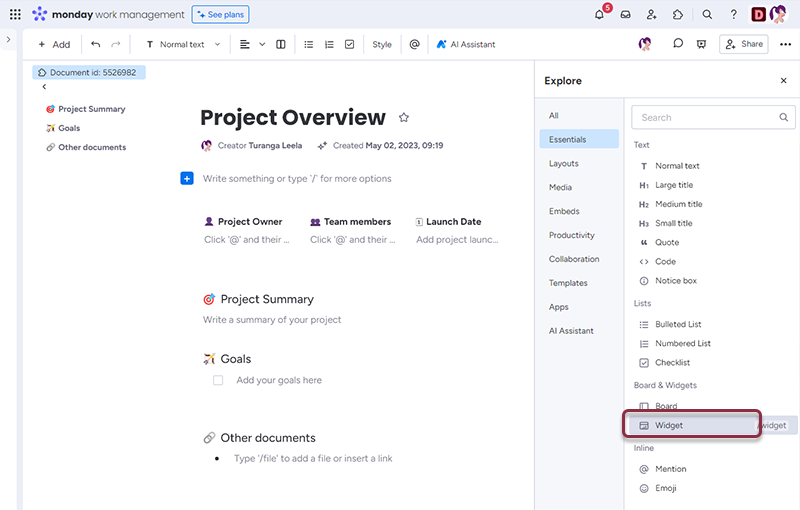
Select Widget
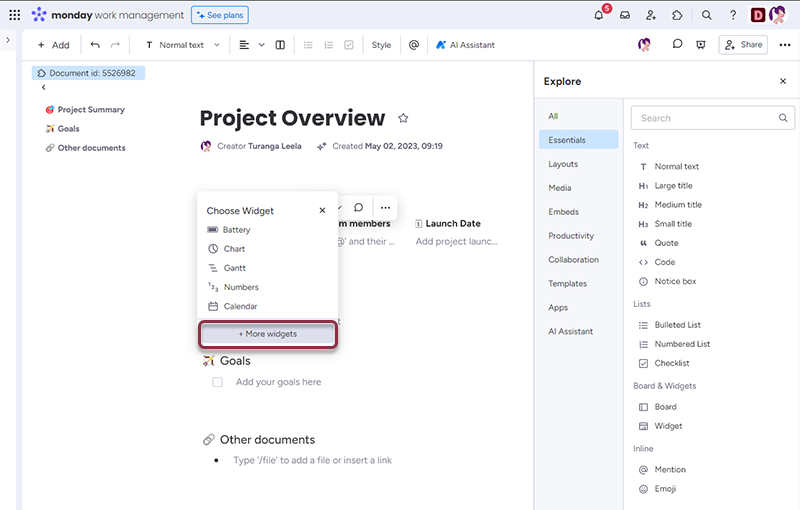
Select More Widget
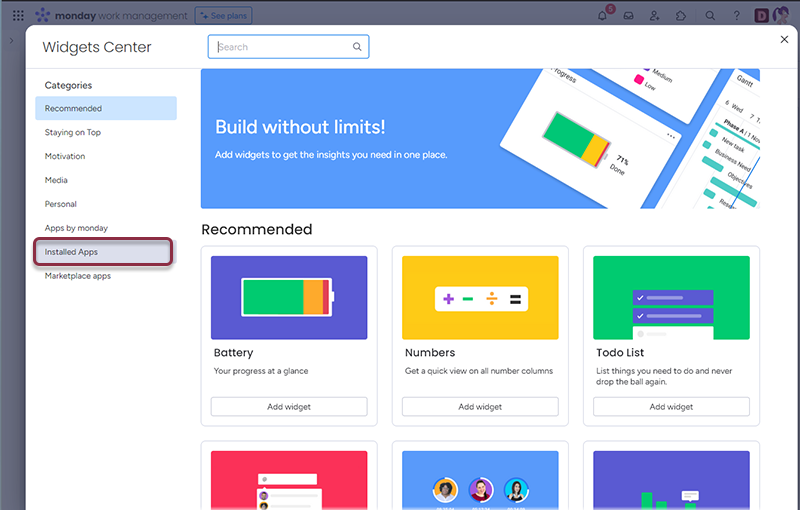
Select Installed Apps
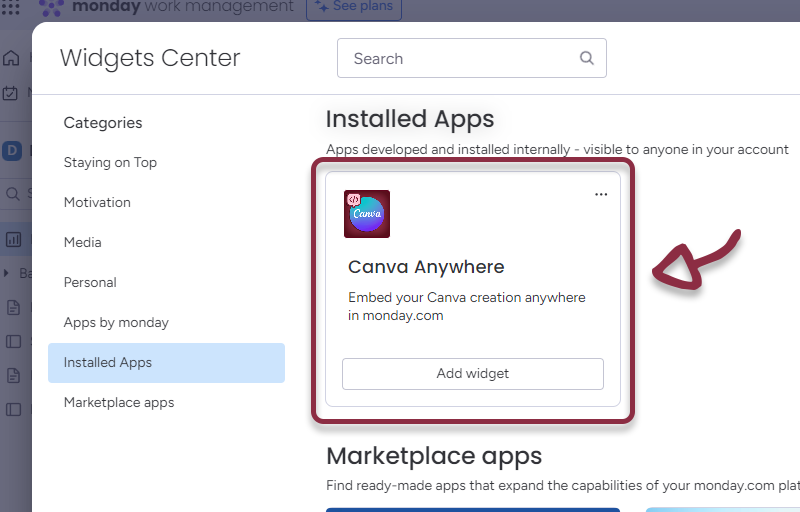
Select Canva Anywhere – Widget
Updated: