

This guide explains how to review and verify which apps and integrations, such as the Microsoft Teams Bitbucket Connector, have access to your Bitbucket account or workspace.
Advanced Microsoft Teams Connector for Bitbucket (Cloud) is no longer supported and will stop function in the first week of June, 2026.
-
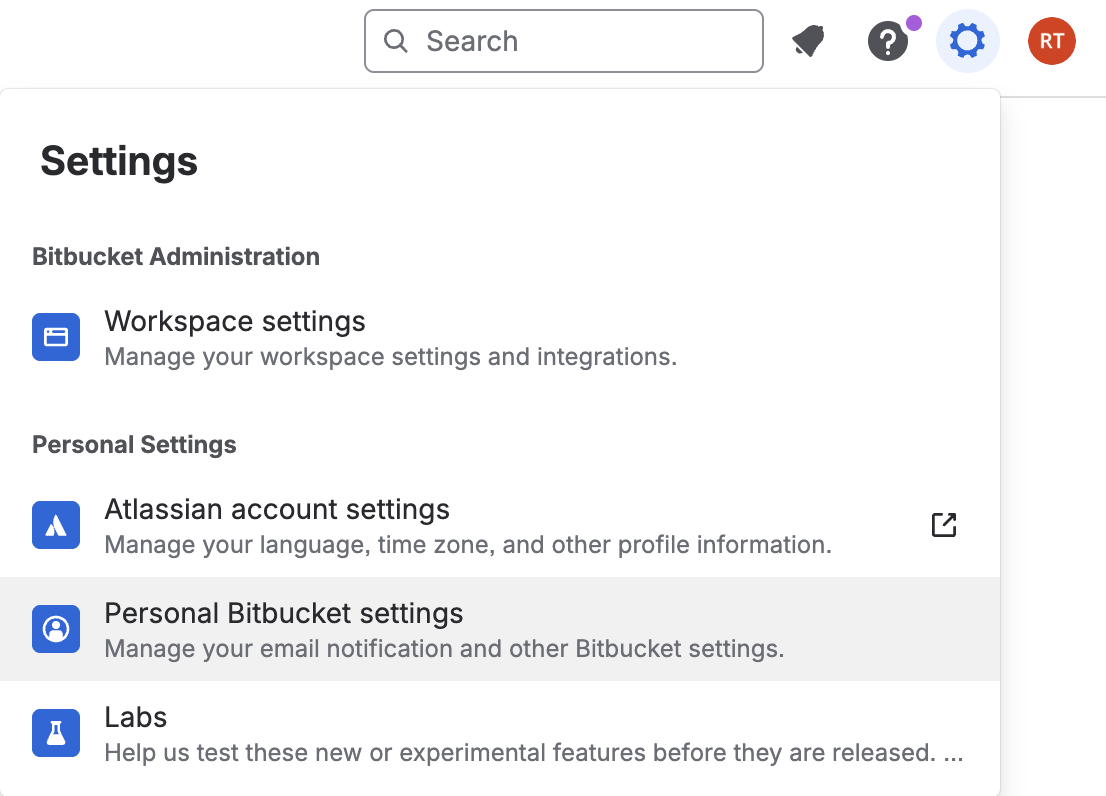
From the settings cog in the top right, select Personal Bitbucket settings.
-
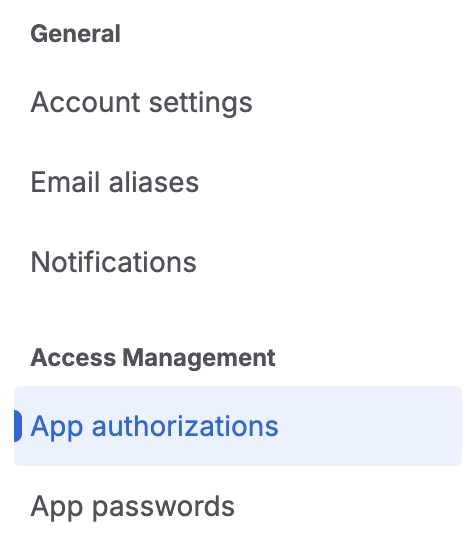
In the left-hand menu, under Access Management, select App authorizations.
-
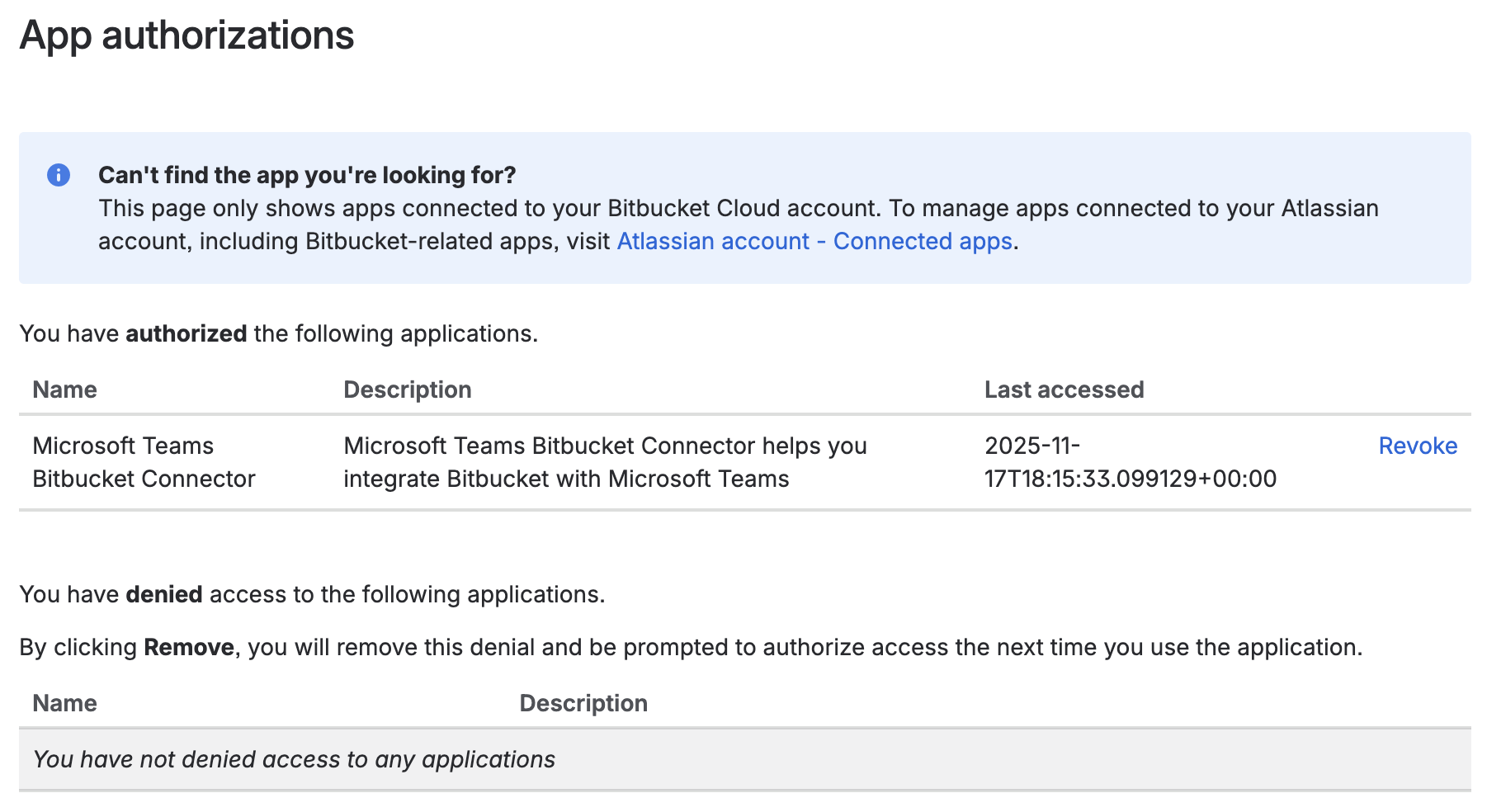
Review the list of authorized applications and confirm that Microsoft Teams Bitbucket Connector is included.
Updated: