monday.com

Installing Secret Santa Monday app

Board view

How to add the application to a http://monday.com board

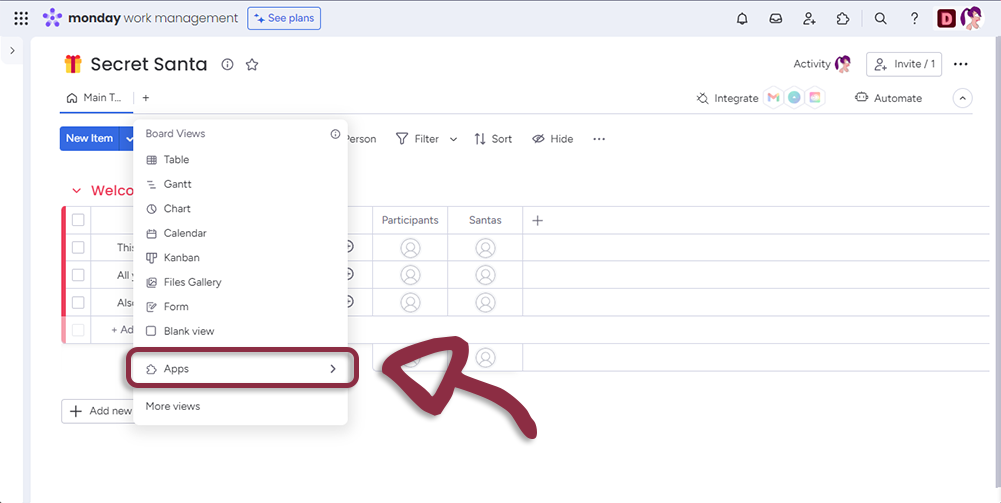
From your selected Board, click on the + Button

info

To use Secret Santa on your dedicated board, you must need two person-type columns.
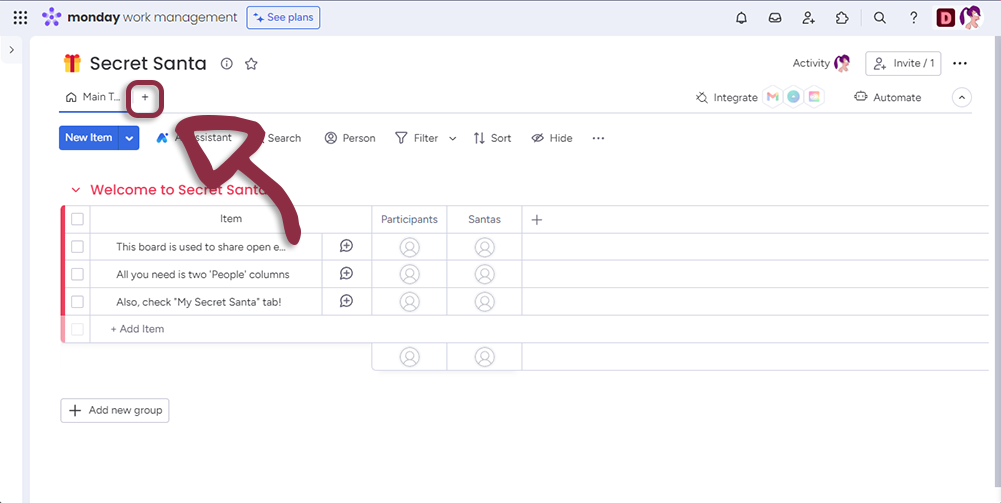
https://dev-devils.com/documentation/assets/images/01-78efe01c0ada181e270f8cb9800de316.png

Select Apps in the menu

https://dev-devils.com/documentation/assets/images/02-018a7c44d2fb87b50285ce89b4bdadbc.png

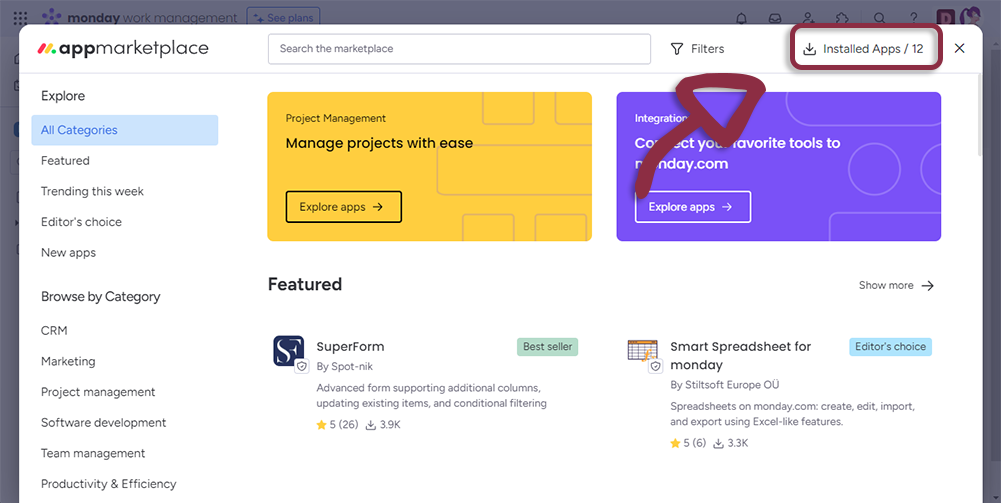
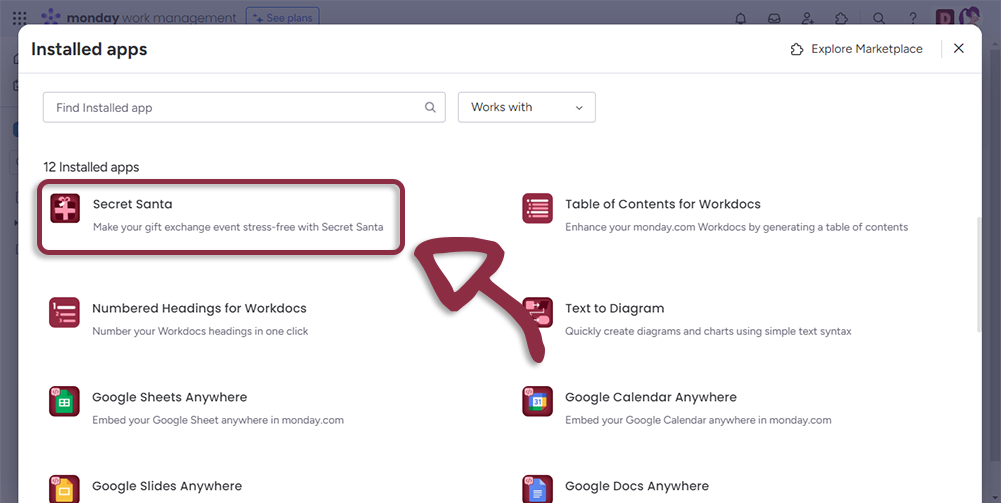
Select Installed Apps and Click on the Secret Santa app
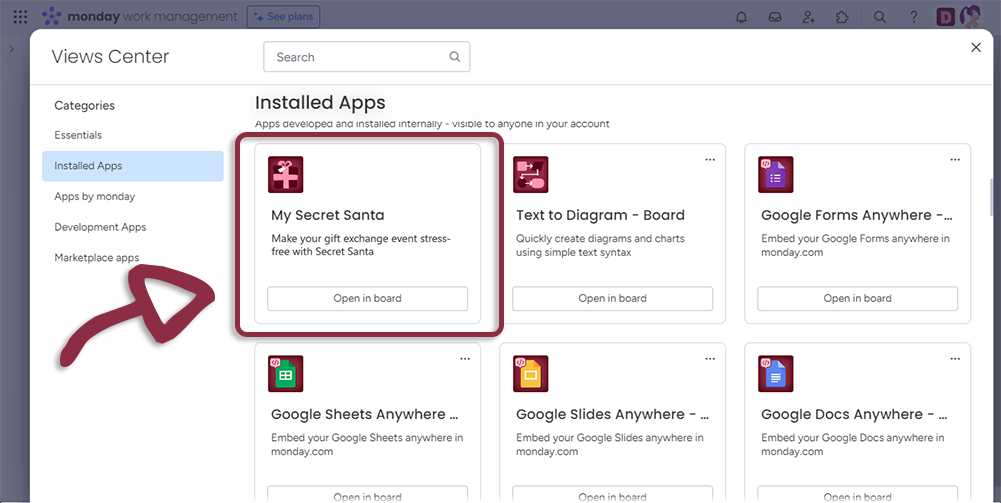
https://dev-devils.com/documentation/assets/images/03-a4791d4853d7480e4c0aaddb95995f85.png

Workspace Template

The best way to enjoy Secret Santa for http://monday.com is by using the Workspace template.

From the http://monday.com interface, click on the jigsaw piece in the top menu
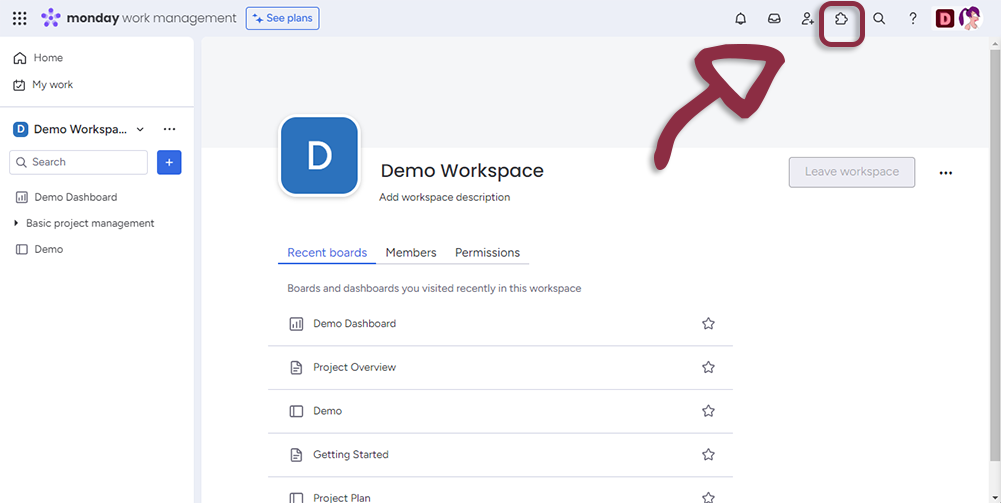
https://dev-devils.com/documentation/assets/images/01-54c0b0f96e6c4a2411ebfbf160a6bb6e.png

Select Installed Apps

https://dev-devils.com/documentation/assets/images/02-696bdfe81786adffd6f05220840858da.png

Select on Secret Santa

https://dev-devils.com/documentation/assets/images/03-bc3b0f42bca099fa09ea1f6650697612.png

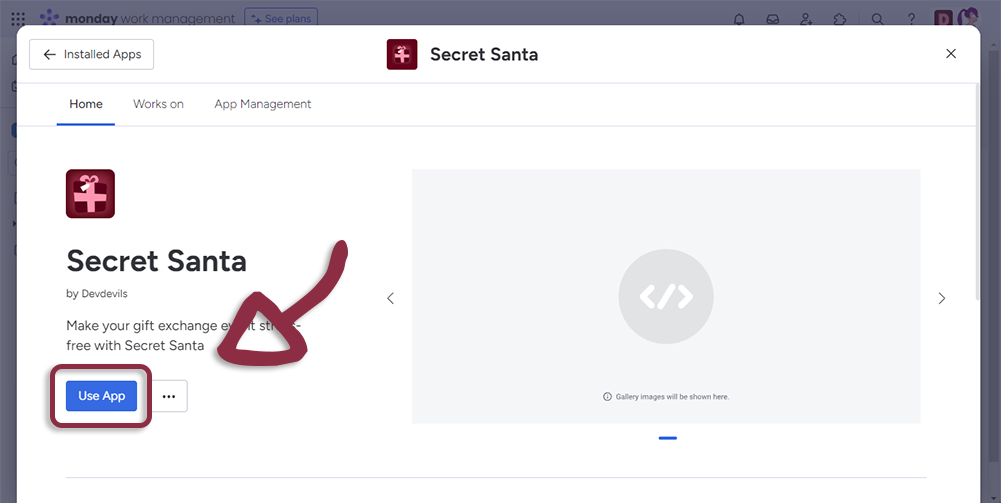
Click on Use App

https://dev-devils.com/documentation/assets/images/04-0b80f21356d37373661ed6d6d19de14a.png

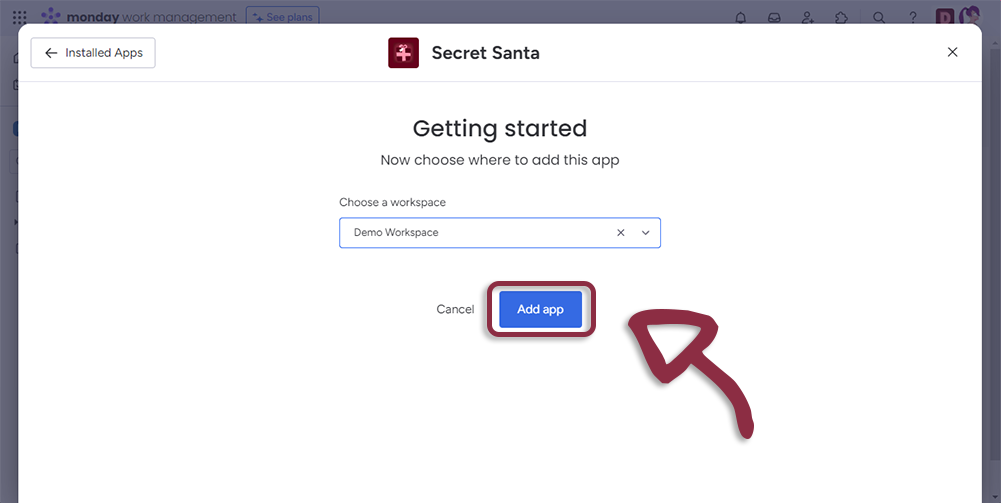
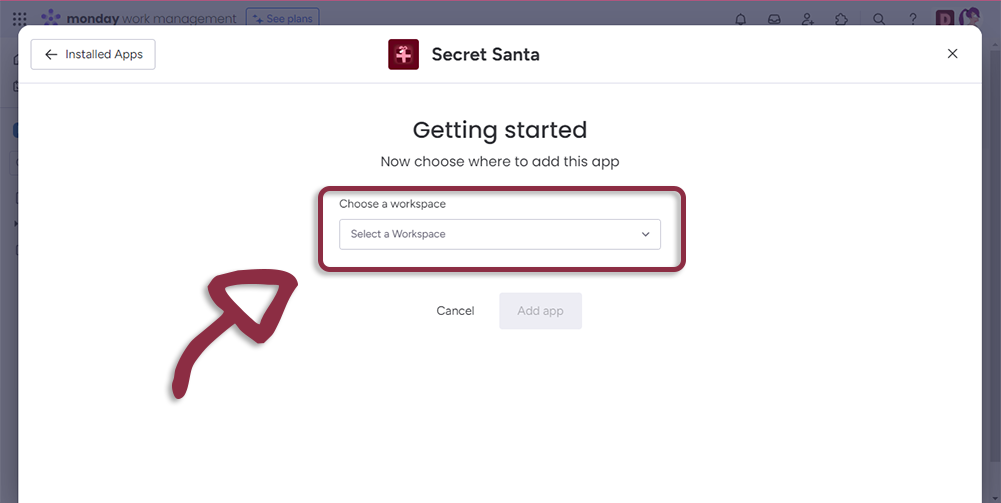
Select Workspace where you want the Application to be installed
https://dev-devils.com/documentation/assets/images/05-0c22c9ab572ab2599ef3cfab75d52800.png

And click on Add App

https://dev-devils.com/documentation/assets/images/06-91f56dee9c31499d99daf940655e6d1f.png

Updated: