

Using the GitLab Macro
The GitLab macro allows you to display GitLab content directly within Confluence pages using standard GitLab URLs.
The macro automatically detects the link type and renders a rich preview for supported GitLab content.
Supported Content Types
Paste any of these GitLab URLs directly into a page and the macro renders a preview automatically:
-
Projects / Repositories
-
Merge requests
-
Issues / work items
-
Commits
-
Releases
-
Epics
-
Milestones
-
Snippets
-
Pipelines
-
Jobs
-
Source files
Two more macros aren't URL-paste - you insert them directly from the macro browser:
-
GitLab Query (GLQL)
-
GitLab Gantt Chart
See Other GitLab Macros below for those two.
Adding the GitLab Macros
Link previews
-
Edit a Confluence page
-
Paste a supported GitLab URL
-
Publish or update the page
The macro will automatically retrieve and display GitLab metadata.
GitLab Query and GitLab Gantt Chart
These two aren't added by pasting a URL:
-
Edit a Confluence page
-
Type
/and search for "GitLab Query" or "GitLab Gantt Chart" (or use Insert > Other Macros) -
Configure the macro - set the GitLab group or project, and any filters
-
Publish or update the page
Supported GitLab Links
Most previews show a compact summary row. Where a preview carries more detail than fits in that row, hover over the linked title to see it in a tooltip - noted separately below wherever it applies.
Merge Requests
You can display GitLab merge requests directly within Confluence.
Example: https://gitlab.com/group/project/-/merge_requests/1
Always visible:
-
Merge request title
-
Status
-
Author (avatar)
-
Labels
Also shown on hover over the title:
-
Author name
-
Opened date
-
Reviewers
-
Comment count

Issues / Work Items
You can display individual GitLab issues using a direct issue link.
Example: https://gitlab.com/group/project/-/issues/2
Always visible:
-
Issue title
-
Status
-
Labels
-
Author (avatar)
Also shown on hover over the title:
-
Author name
-
Created date
-
Assignees
-
Comment count

Repositories (Projects)
Repository links display project-level information.
Example: https://gitlab.com/group/project
The macro may display:
-
Project name
-
Description
-
Branch count
-
Stars
-
Forks

Commits
Display a single commit, including who made it and when.
Example: https://gitlab.com/group/project/-/commit/a1b2c3d
The macro may display:
-
Short SHA
-
Commit title
-
Author
-
Relative date (e.g. "3 days ago")

Releases
Display a GitLab release by its tag.
Example: https://gitlab.com/group/project/-/releases/v1.2.0
Always visible:
-
Tag
-
Release name
-
Author
-
Release date
Also shown on hover over the title:
-
Release description / notes

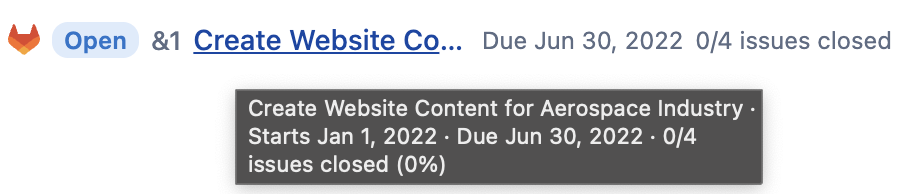
Epics
Display a GitLab epic from a group.
Example: https://gitlab.com/groups/group/-/epics/4
Always visible:
-
Open/closed state
-
Reference (e.g. &4)
-
Title
-
Due date
-
Issue-closed count
Also shown on hover over the title:
-
Start date
-
Issue-closed percentage
Milestones
Display a single milestone's progress.
Example: https://gitlab.com/group/project/-/milestones/3
Always visible:
-
Active/closed state
-
Title
-
Due date
-
Issue-progress bar, with percentage complete
Also shown on hover over the title:
-
Start date

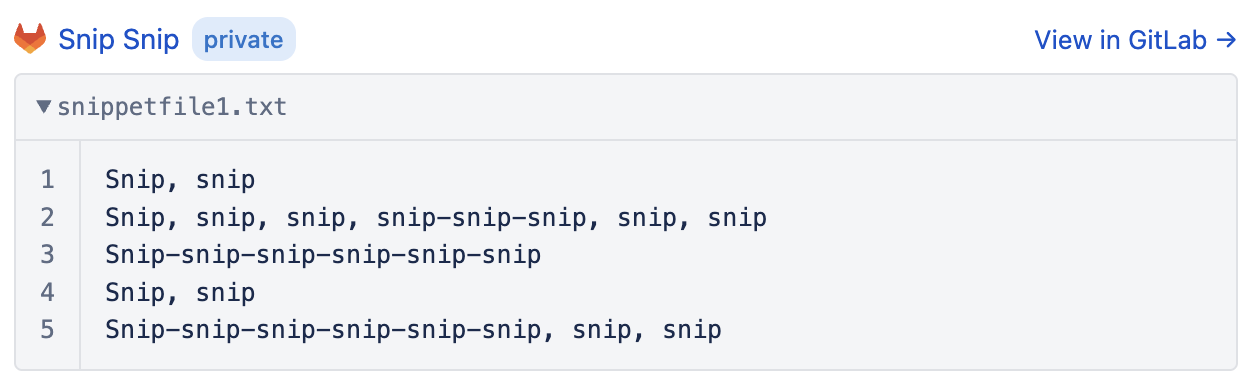
Snippets
Display a GitLab snippet - renders the same way as a source file, with syntax highlighting.
Example: https://gitlab.com/group/project/-/snippets/123 (or a personal snippet: https://gitlab.com/-/snippets/123)
The macro may display:
-
Snippet file name
-
Code, with syntax highlighting
Pipelines
Repository links display project-level information.
Example: https://gitlab.com/group/project/-/pipelines/123456789
Always visible:
-
Pipeline number
-
Status
-
Branch / ref
-
Test coverage
Also shown on hover over the title:
-
Source (e.g. push, schedule)
-
Commit
-
Author
-
Duration

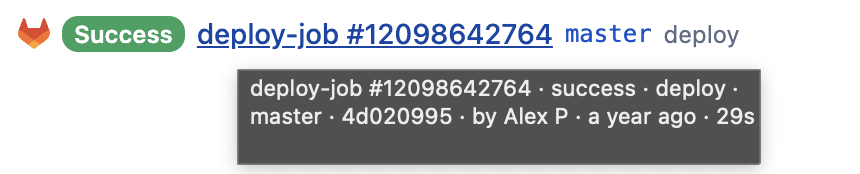
Jobs
Display a single CI/CD job.
Example: https://gitlab.com/group/project/-/jobs/123456
Always visible:
-
Job name
-
Status
-
Stage
-
Branch / ref
Also shown on hover over the title:
-
Commit
-
Author
-
Duration
-
Test coverage
-
Failure reason, if the job failed
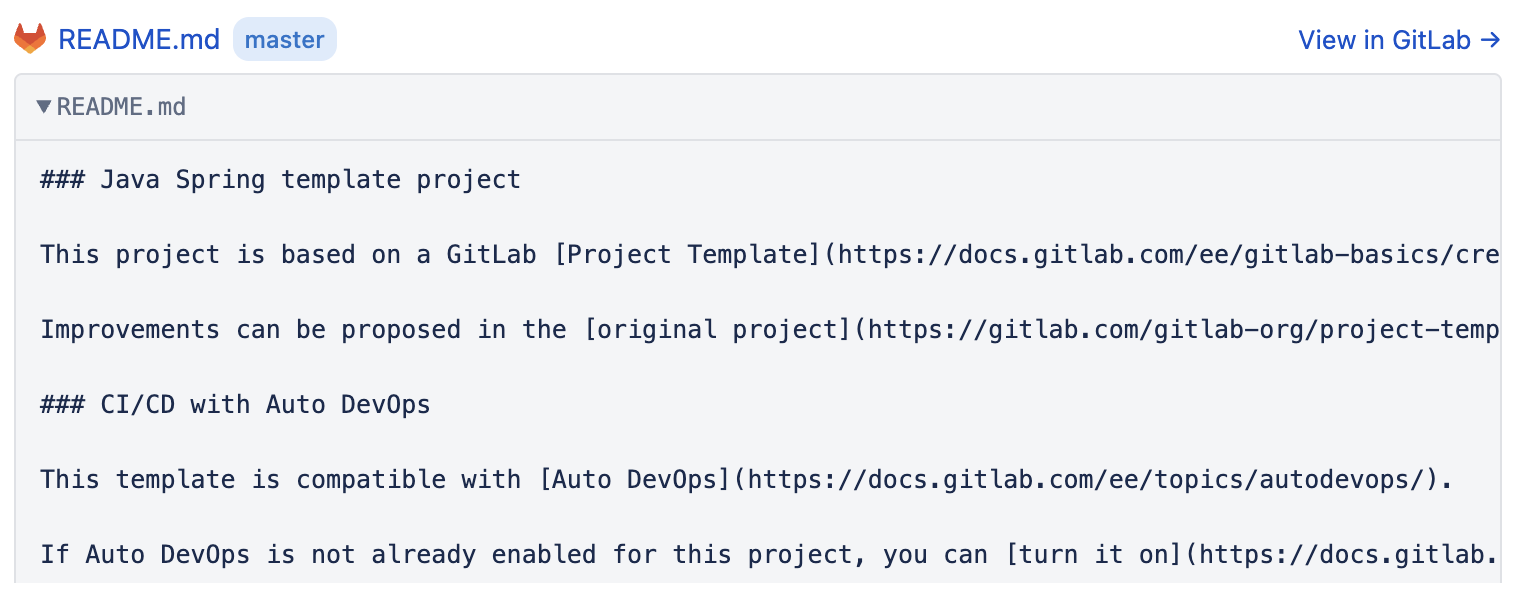
Source File
Repository links display project-level information.
Example:
https://gitlab.com/group/project/-/blob/master/README.md
The macro may display:
-
File Name
-
Branch
-
Code
Other GitLab Macros
See Adding the GitLab Macros above for how to insert these two.
GitLab Query (GLQL)
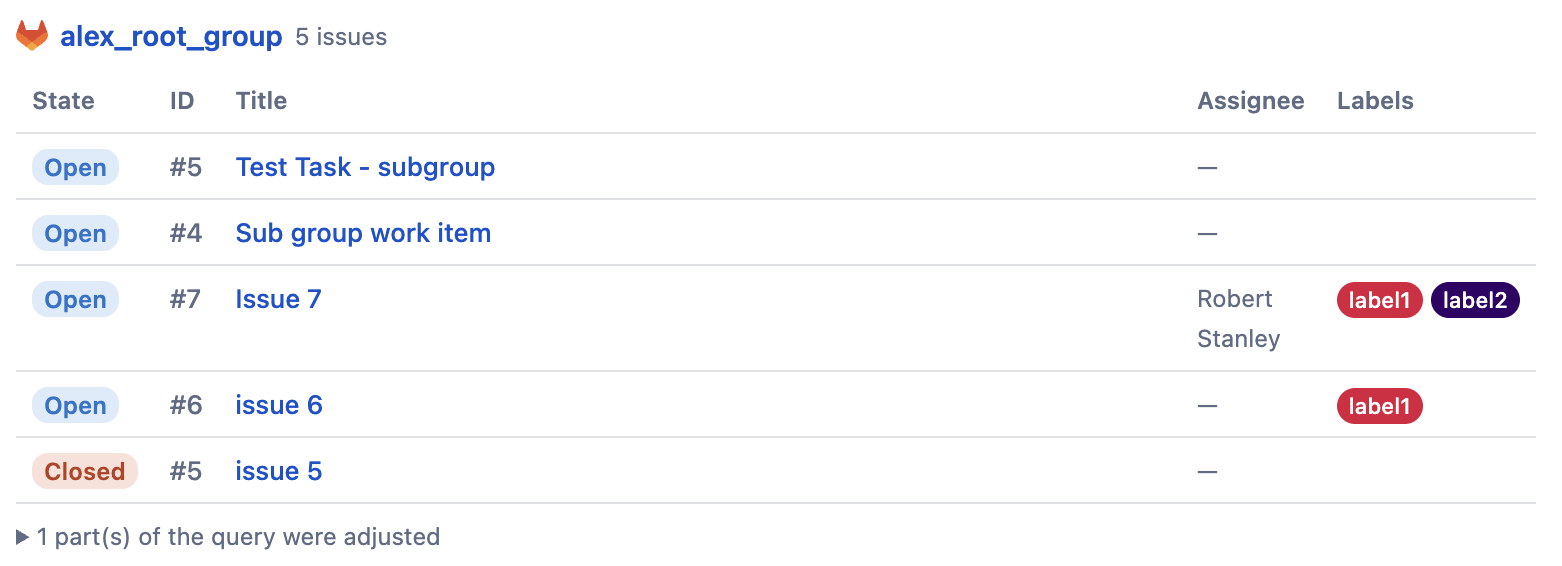
Runs a GitLab query and displays the results as a table. Covers issues, merge requests, milestones, projects, and groups/subgroups - this is how you get a list view in Cloud, since there's no separate "Issues List" or "Merge Requests List" macro the way Data Center has.
GitLab Gantt Chart
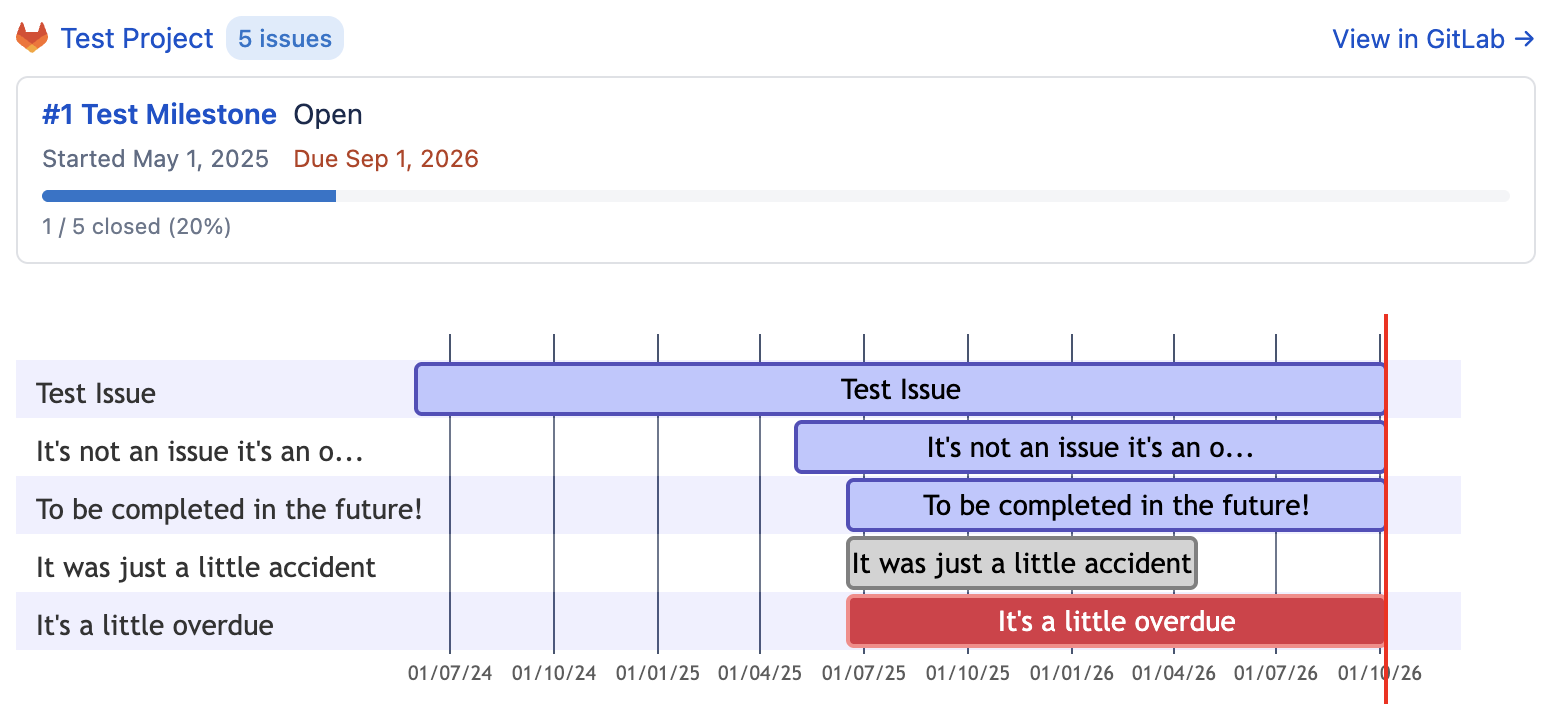
Renders a group or project's issues as a Mermaid Gantt chart, with an optional milestone filter.
Supported GitLab Deployments
The macro supports:
-
GitLab SaaS (connect via OAuth or a Personal Access Token)
-
GitLab On-Premises (must be publicly accessible with proper administrator configuration; requires a Personal Access Token, OAuth is not available for on-premises)
Best Practices
We recommend:
-
Using direct links to specific resources
-
Verifying repository permissions before sharing pages
-
Keeping repository URLs consistent across documentation
-
Using merge request previews in release notes and technical documentation
-
Using the GitLab Query macro instead of pasting many individual links when you want an overview table of issues, merge requests, or milestones
Common Use Cases
Teams commonly use the GitLab macro for:
Engineering Documentation
Link implementation details directly to merge requests and issues.
Release Notes
Embed completed merge requests and resolved issues.
Incident Reviews
Reference fixes, discussions, and deployment changes.
Product Planning
Connect roadmap items to GitLab issues and development work.
Troubleshooting
If the macro does not render correctly:
-
Verify the GitLab URL is valid
-
Confirm the repository is accessible
-
Check that the GitLab integration has been configured
-
Verify Personal Access Token or OAuth connection validity
If issues persist, contact your Confluence administrator.
Related Guides
-
Installation & Configuration
-
Troubleshooting
-
FAQ & Support
Updated: October, 2026