

Connect Jira and Microsoft Teams for seamless, two-way collaboration with Advanced Microsoft Teams Connector for Jira.
Get real-time work item notifications, discuss and share work items directly in Teams, and now manage it all conversationally with a built-in AI assistant, all without switching tools.
What can this app do?
Bring your Jira work items into Microsoft Teams, right where your team already works. Boost collaboration, reduce context-switching, and stay on top of your work.
New: Teams Connector Rovo Agent AI
Ask in plain language and the agent does the work: create a reminder, start a discussion channel, or set up a notification rule, all without opening a form. Guide ->
Key Features:
|
Smart Notifications 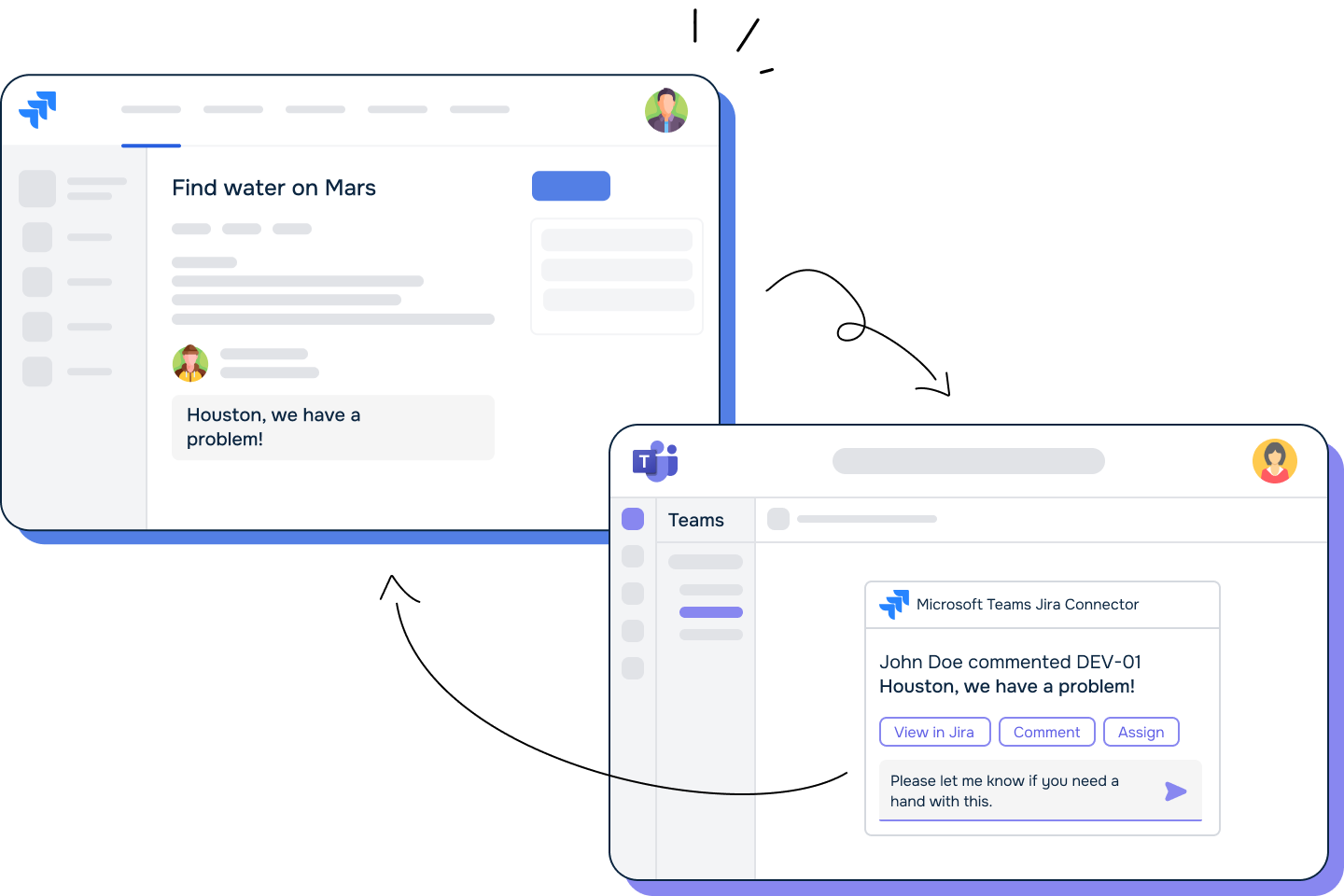
Receive real-time updates in Teams channels or direct messages when work items change in Jira - choose bot delivery for two-way interaction, or a simple webhook. Guide -> |
Discussions Channels 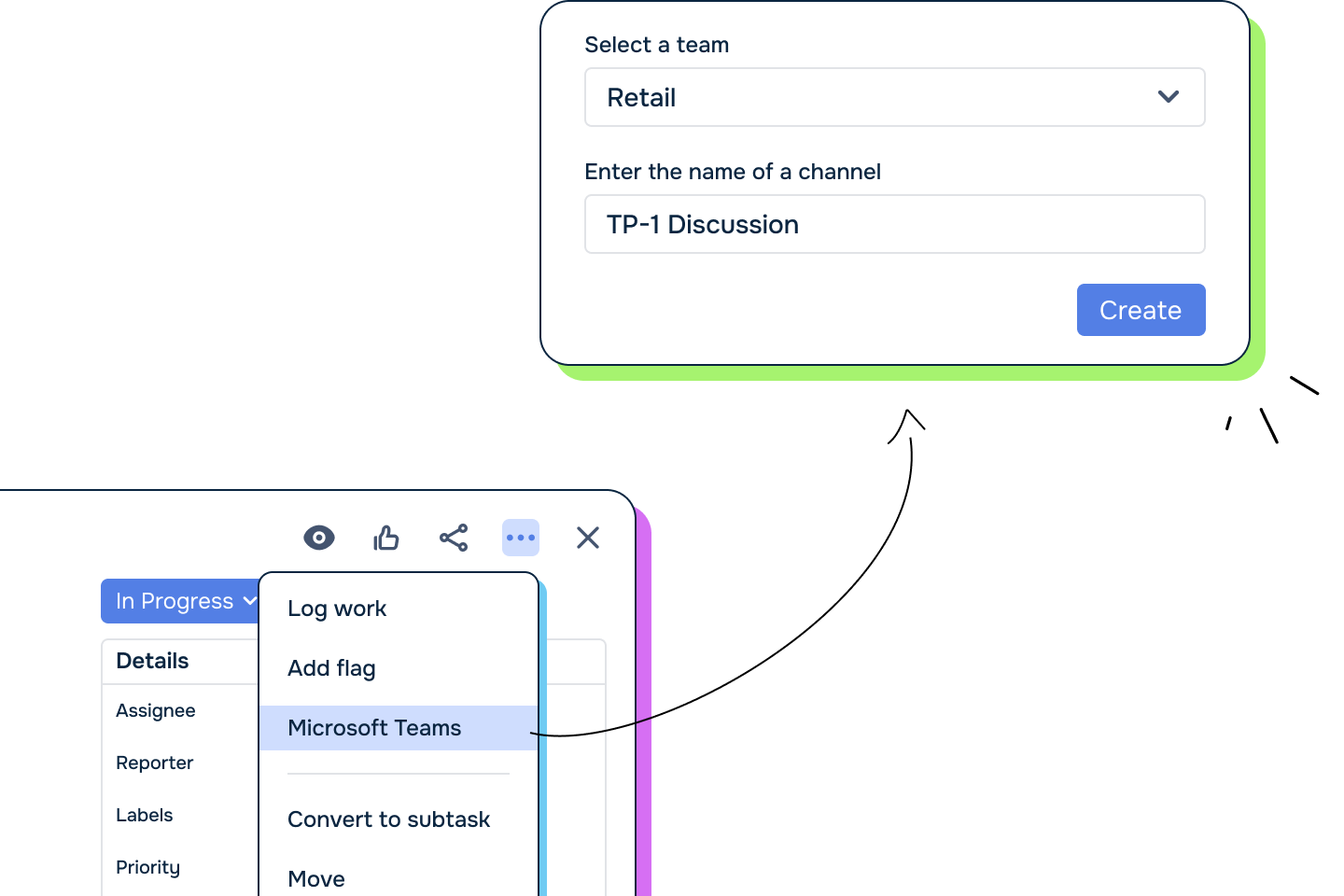
Start a dedicated Teams channel directly from a Jira work item - relevant people are pulled into the conversation automatically. Guide -> |
Seamless Sharing 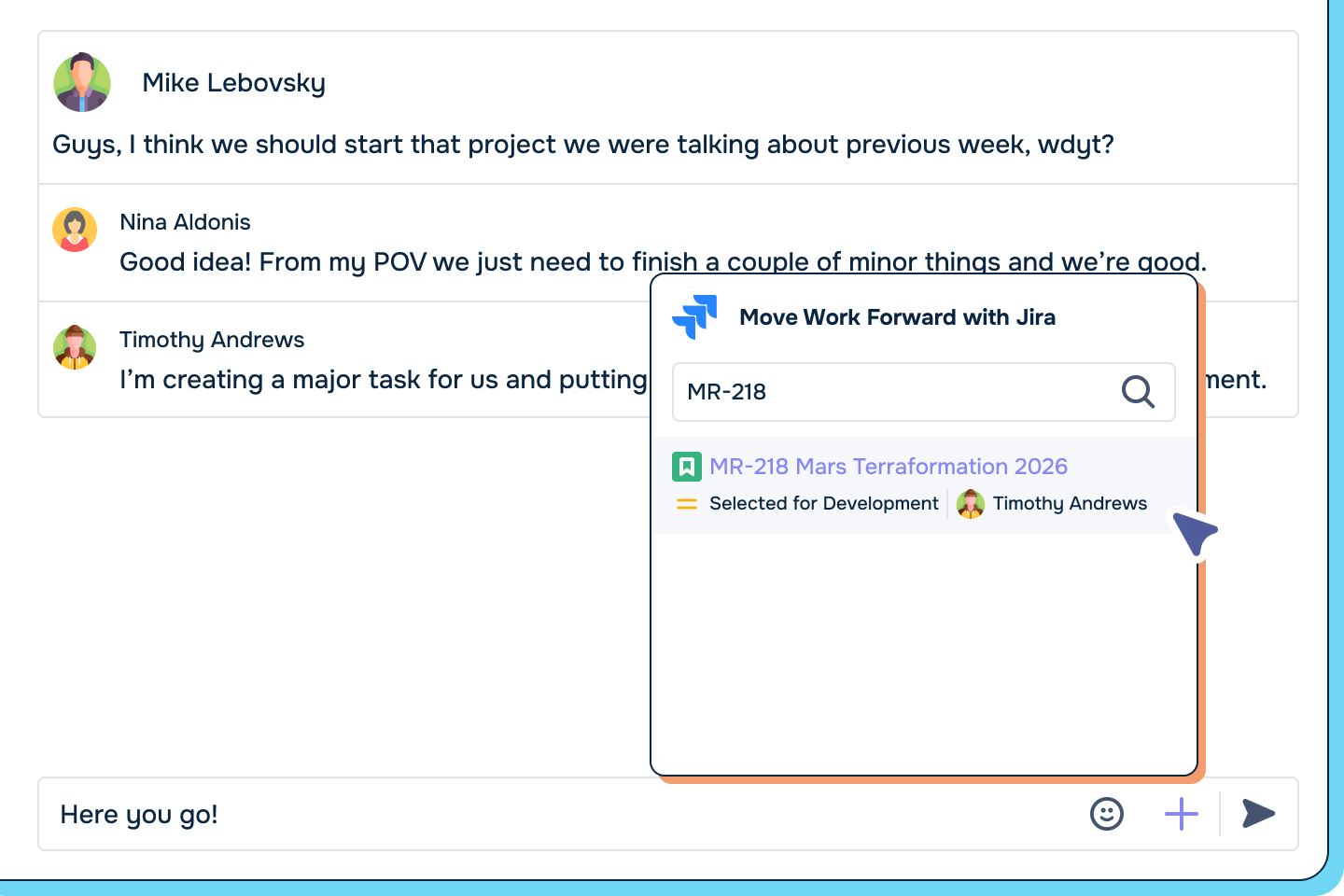
Search and share Jira work items inside Teams conversations in just a few clicks. Guide ->
|
|
Jira Tabs in Teams .png?cb=258b3714bd5434e77cf698efd0a8fbd7)
Embed a saved filter as a live table in a Teams channel or chat - create and edit work items directly from the tab, without switching to Jira. Guide -> |
Work Item Reminders 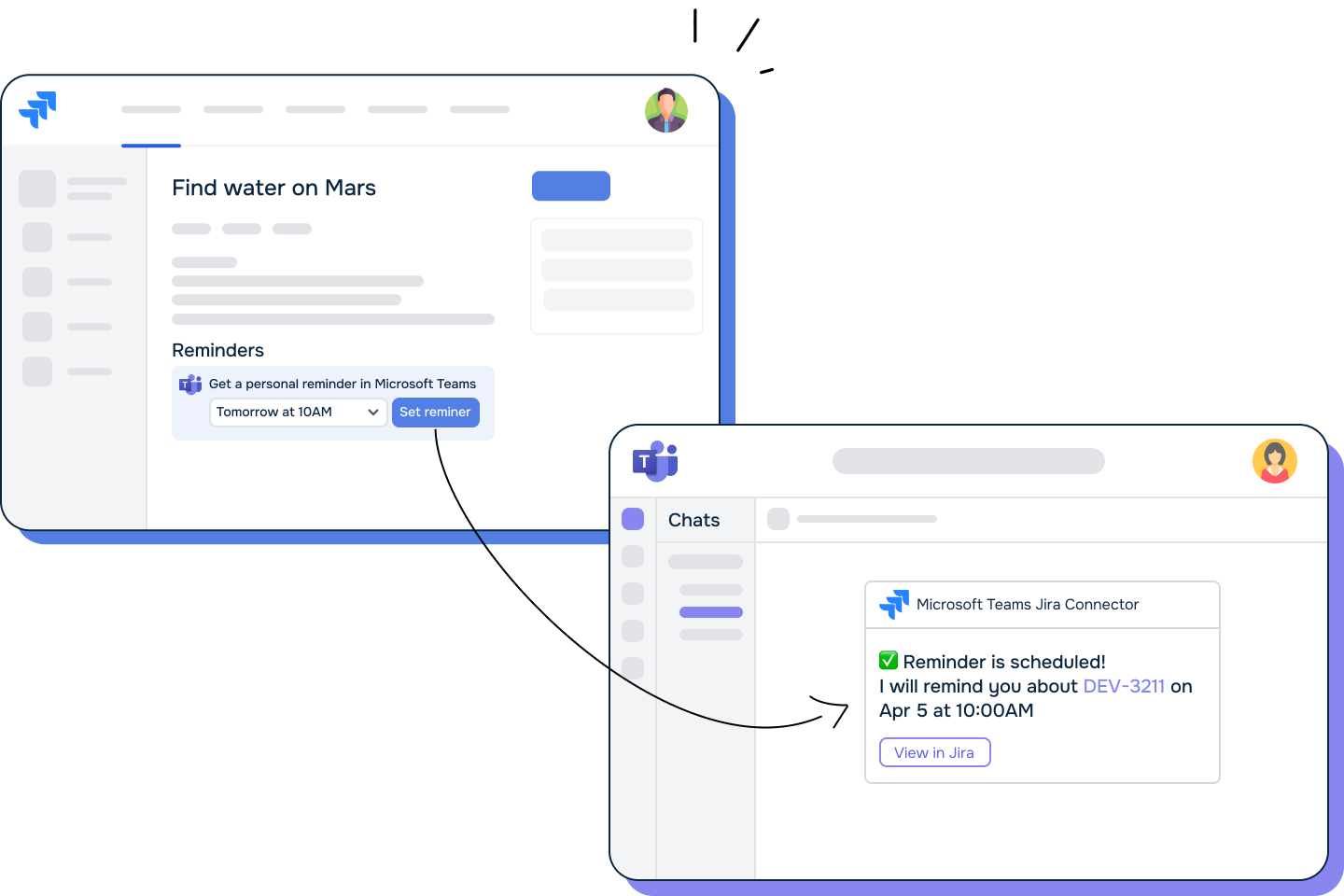
Never miss a deadline. Set a one-time reminder from any work item, delivered straight to your Teams chat. Guide -> |
Log Time & Update Jira from Teams 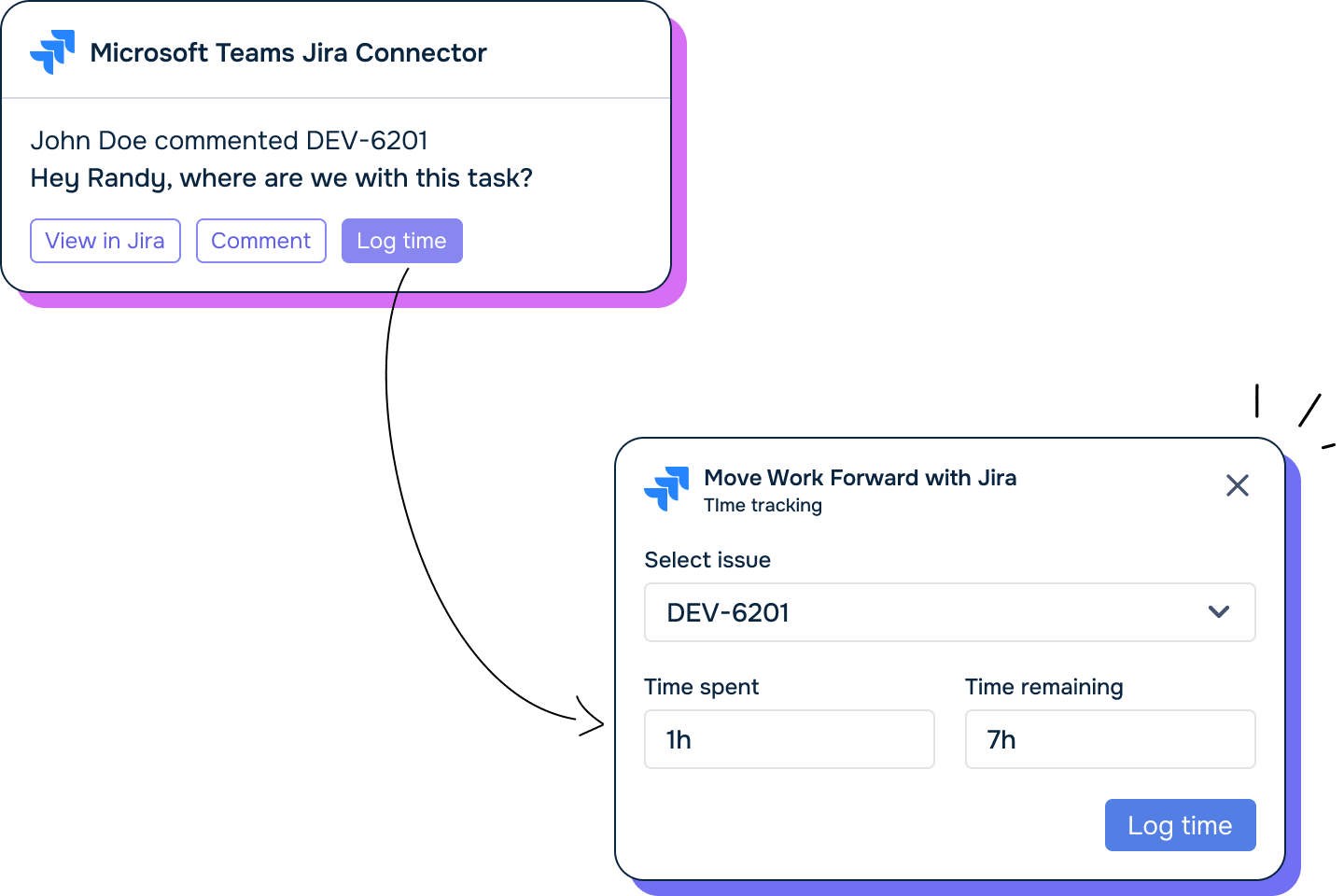
Assign yourself, leave a comment, log time, or change status - right from the notification card in Teams. Guide -> |
Start Here - Who Are You?
Choose your role to get started quickly:
👷 I'm a Jira Administrator
Set up the app for your organization.
➡️ Admin Setup Guide ->
You'll learn how to:
-
Connect Jira and Microsoft Teams (admin consent)
-
Set up global notifications
-
Manage tenant and webhook access in Security & Privacy
👨💻 I'm a Space (Project) Admin
Configure the app for your specific Jira spaces.
➡️ Space Admin Guide ->
You'll learn how to:
-
Send space updates to Teams channels
-
Add Jira Tabs in Teams
-
Customise notification rules and delivery
🧑💼 I'm a Jira User
Make your daily work in Jira easier and more connected.
➡️ User Productivity Guide ->
You'll learn how to:
-
Get personal notifications and reminders in Teams
-
Share and discuss Jira work items in Teams
-
Manage it all by chatting with the Rovo Agent
Browse All Guides
Every guide in one place, grouped by who it's for:
For Admins
|
Guide |
What it covers |
|---|---|
|
Install the app and grant admin consent |
|
|
Manage tenant-wide consent and the org's user mapping |
|
|
Send Jira updates to Teams channels, org-wide or per space |
|
|
Control which Teams tenants and webhooks can connect |
For Users
|
Guide |
What it covers |
|---|---|
|
Get up and running in a few minutes |
|
|
Connect your own Jira account to Microsoft Teams |
|
|
Choose exactly which events notify you |
|
|
Start a dedicated Teams channel from a work item |
|
|
Set a one-time reminder about a work item |
|
|
Track a saved filter inside a Teams channel or chat |
|
|
Manage reminders, discussions, and rules by chatting |
Reference
|
Guide |
What it covers |
|---|---|
|
Every event and filter a notification rule supports |
|
|
Bot vs webhook delivery, and Managed URLs |
|
|
What happens when you paste a Teams link into Jira |
Need Help?
Updated: