

As a developer, project manager, or team member, no configuration is required to start using GitHub Links for Jira. Once your Jira administrator has installed the app, the GitHub Links panel is available automatically on every Jira work item.
Using GitHub Links
-
Open any Jira work item that contains or that you want to add GitHub URLs to.
-
Paste a GitHub URL into the work item description, a comment, or any custom text field - no special formatting required.
Smart links and pipe-formatted links (e.g.
https://github.com/org/repo/pull/1|smart-link) are automatically detected and cleaned to the plain URL.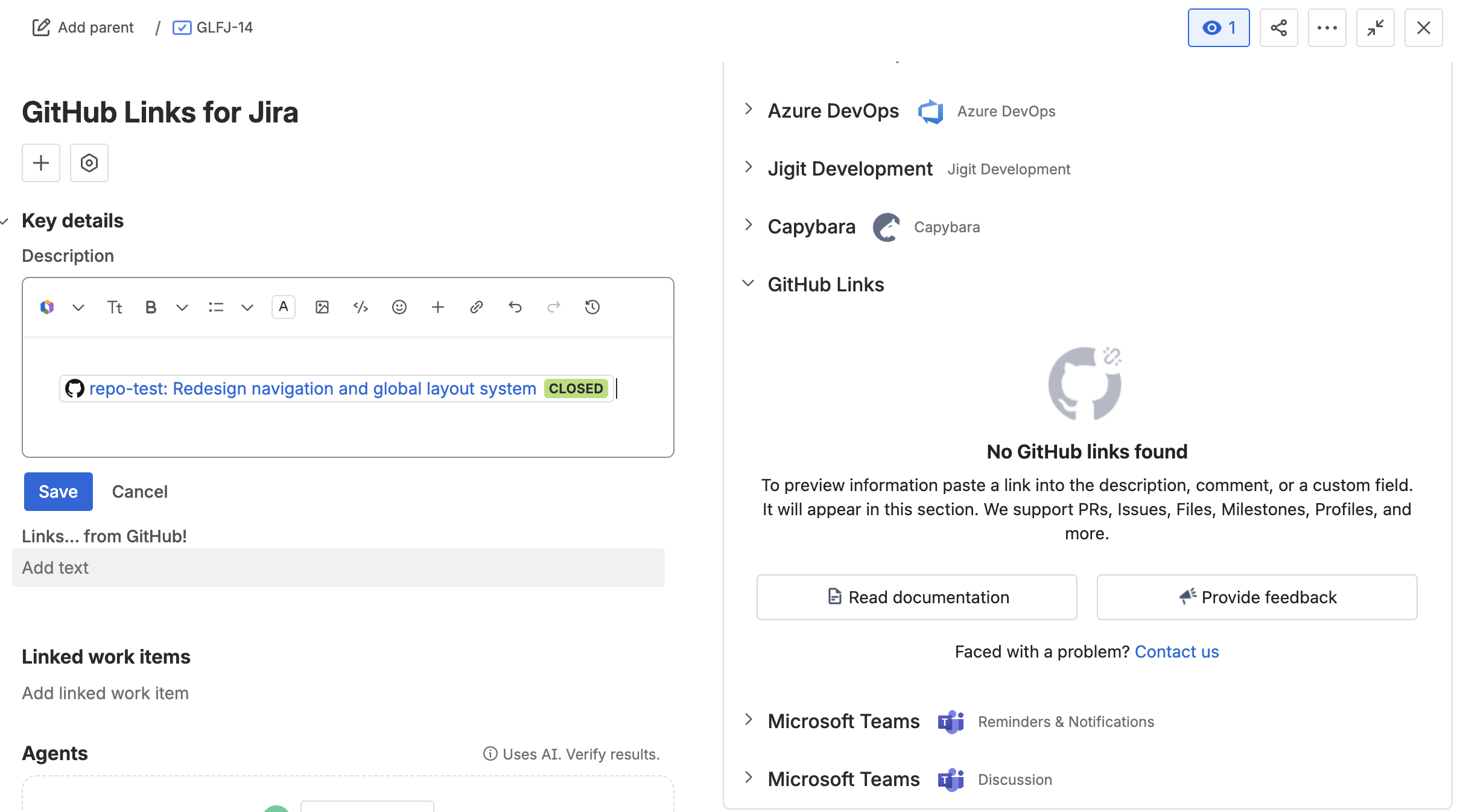
-
Open the GitHub Links panel by clicking the GitHub Links icon in the right-hand sidebar. If the sidebar is collapsed, click the expand icon first.

-
The panel displays a card for each GitHub link found in the issue. The panel header shows the total count (e.g. "3 links found").
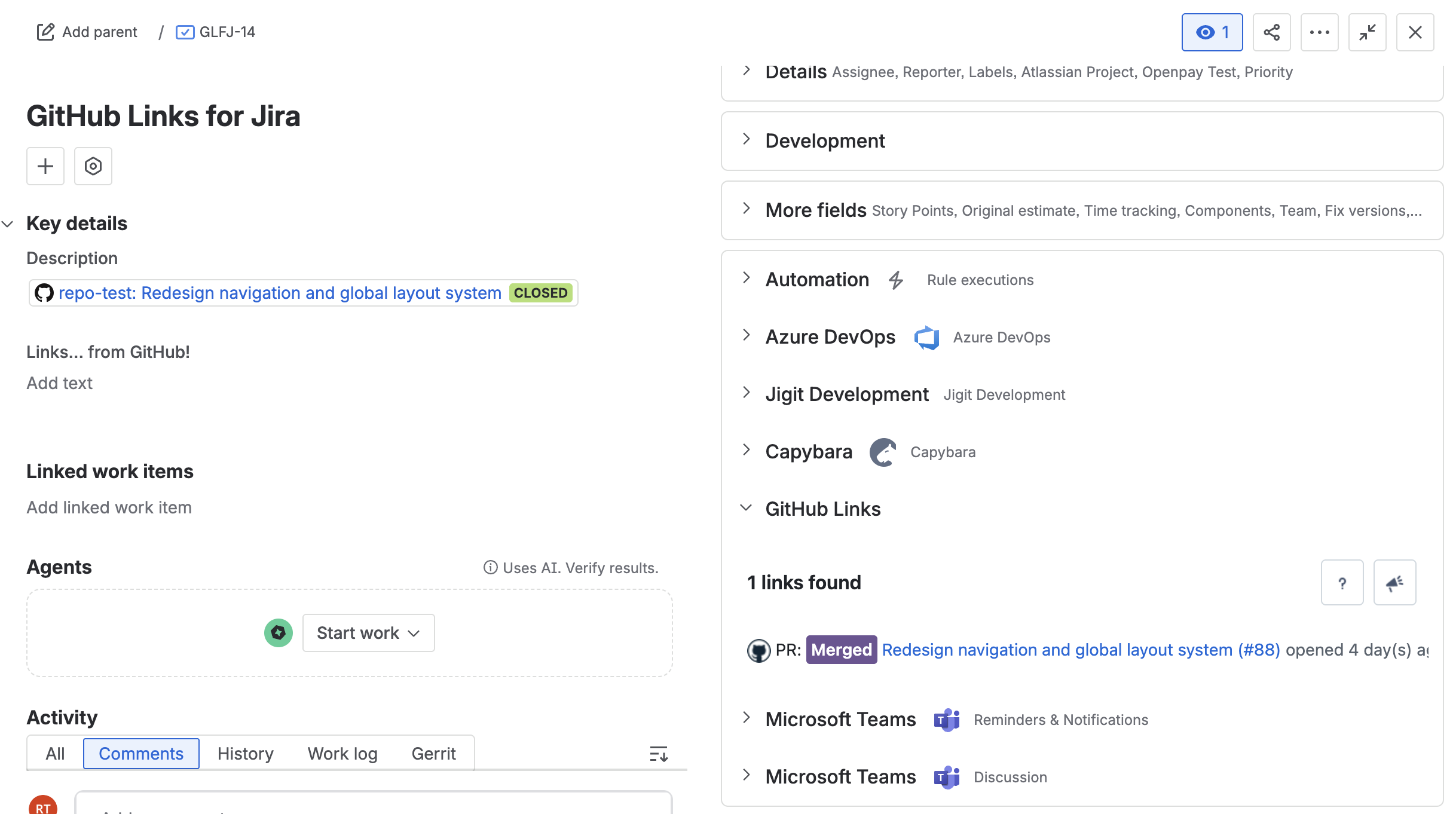
-
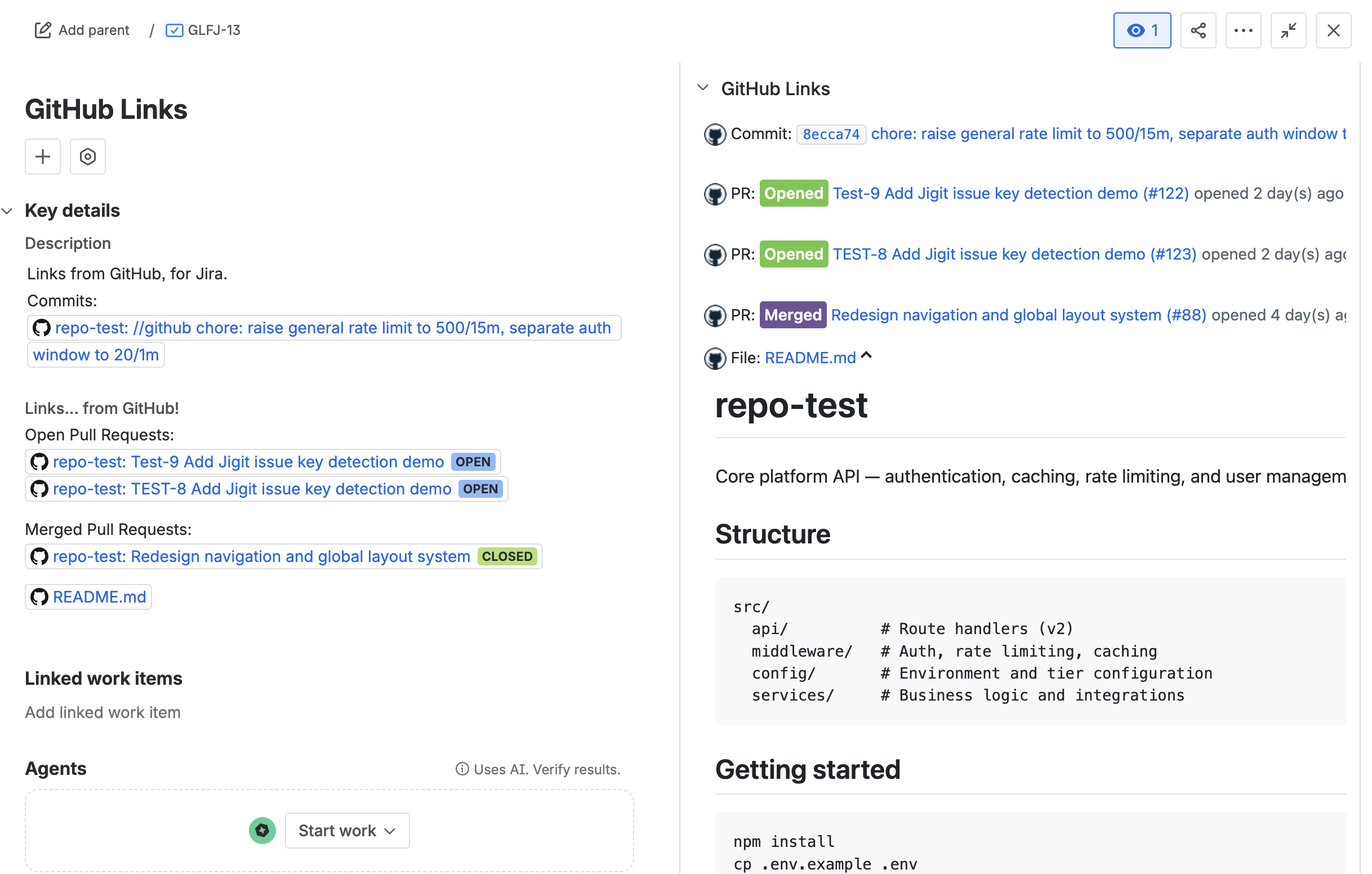
Expand cards for full detail. Source files and gists are collapsed by default. Click the chevron to expand inline within the panel. PR lists, issue lists, release lists, and tag lists show a Load more button for pagination.
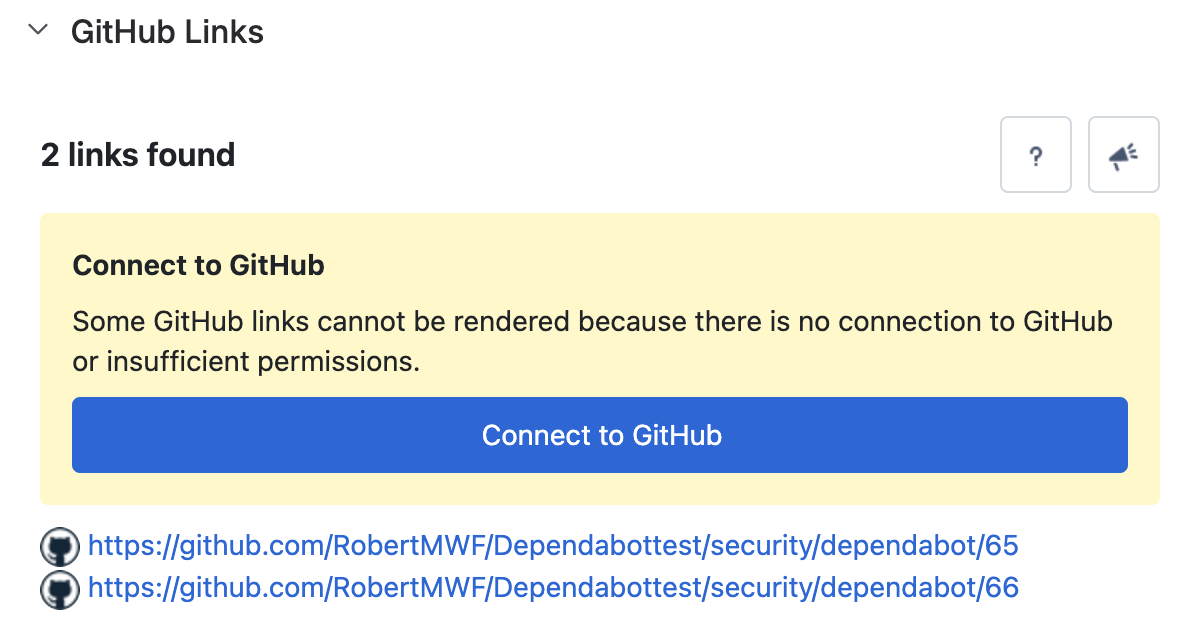
Understanding the "Connect to GitHub" banner
If a yellow "Connect to GitHub" banner appears in the panel, one or more links cannot be rendered because the app is not connected to GitHub or lacks permissions for that repository.
|
Your role |
What to do |
|---|---|
|
Jira administrator |
Click Connect to GitHub in the banner to go directly to the admin configuration page and complete the GitHub App setup. |
|
Non-administrator |
Click Connect to GitHub to open the setup guide and share the link with your Jira administrator so they can connect GitHub. |
|
Public repository link showing banner |
This is unexpected. Reload the panel. If the issue persists, contact support - see Help & Support. |
Panel action buttons
|
Button |
Action |
|---|---|
|
Question mark (?) icon |
Opens the GitHub Links for Jira Cloud documentation in a new tab. |
|
Speech bubble / feedback icon |
Opens the feedback form to send product feedback directly to the Move Work Forward team. |
Updated: