

GitHub Links for Jira is built on the Atlassian Forge platform and runs entirely within Atlassian's own infrastructure. No data is routed through third-party servers for the core enrichment flow, and no webhook setup in GitHub is required.
Public repository links are enriched with no admin setup required. Private repository links need a GitHub App connection - see Admin Setup.
-
Paste any supported GitHub URL into a Jira work item description, comment, or custom field. Supported types include pull requests, commits, issues, branches, releases, source files, and more.
-
Open the GitHub Links panel in the right-hand sidebar of the Jira work item. The panel icon appears automatically once the app is installed on your Jira site.

-
GitHub Links scans the work item automatically - it searches the description, all comments, and all custom fields for GitHub URLs, deduplicates them, and fetches live data for each one in parallel.
-
Enriched cards are displayed in the panel for every GitHub entity detected. Data is always current - it is fetched fresh each time the panel is opened.
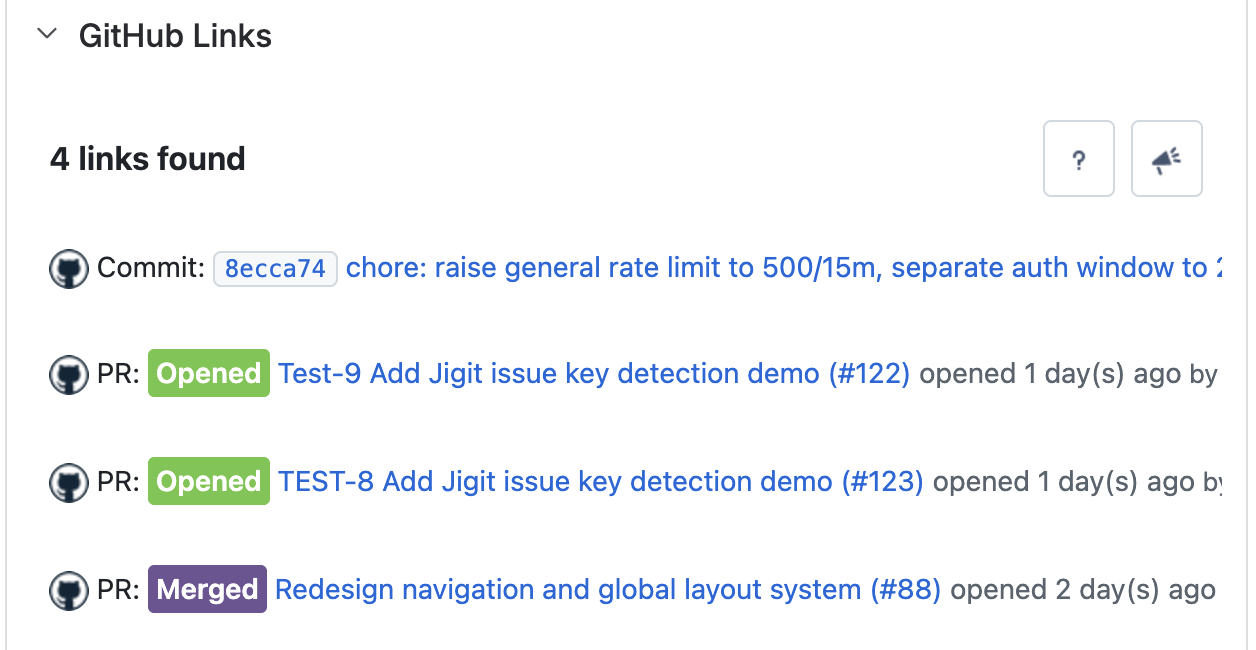
Data is fetched live on every panel open - there is no cache to invalidate and no need to manually refresh links after GitHub activity changes.
Updated: