

The following real-world scenarios show how teams use GitHub Links for Jira to keep development context inside Jira without switching tools.
Pull request status without leaving Jira
A developer creates a Jira work item for a feature and pastes the associated GitHub pull request URL into the description. The PM, tech lead, and QA engineer can open the GitHub Links panel at any time to see the current PR state (Opened / Merged / Closed), CI check results, and the most recent comment - without opening GitHub.

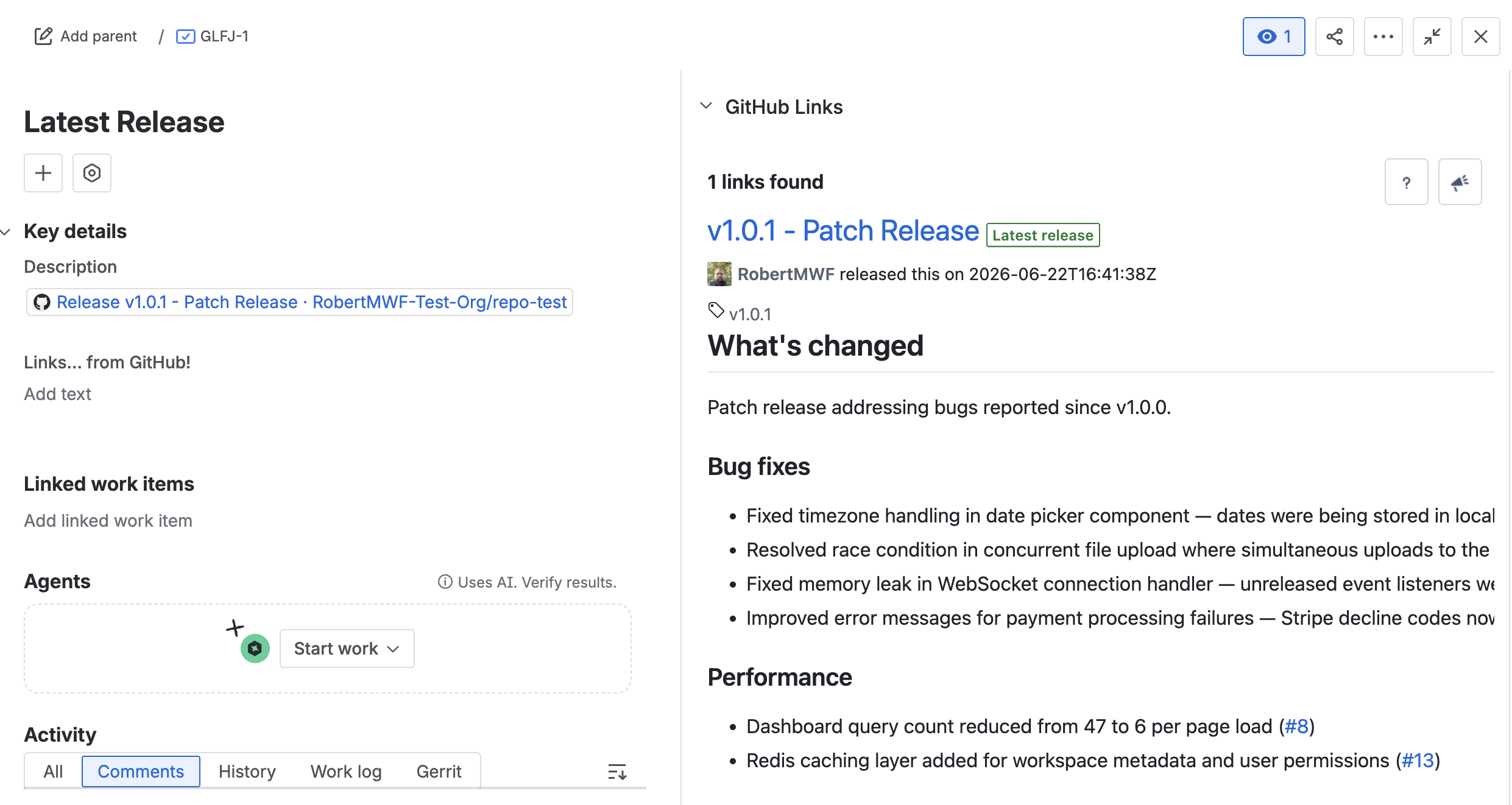
Linking a release to a Jira work item
A release manager pastes the GitHub release URL into a Jira work item. The panel shows the release name, tag, changelog, and whether it is the latest release - keeping release notes accessible directly in Jira.
Tracking security vulnerabilities
A security engineer links a Dependabot alert to a Jira work item. The panel surfaces the severity, affected package, and current status alongside all other issue context - so the on-call engineer has everything in one place.

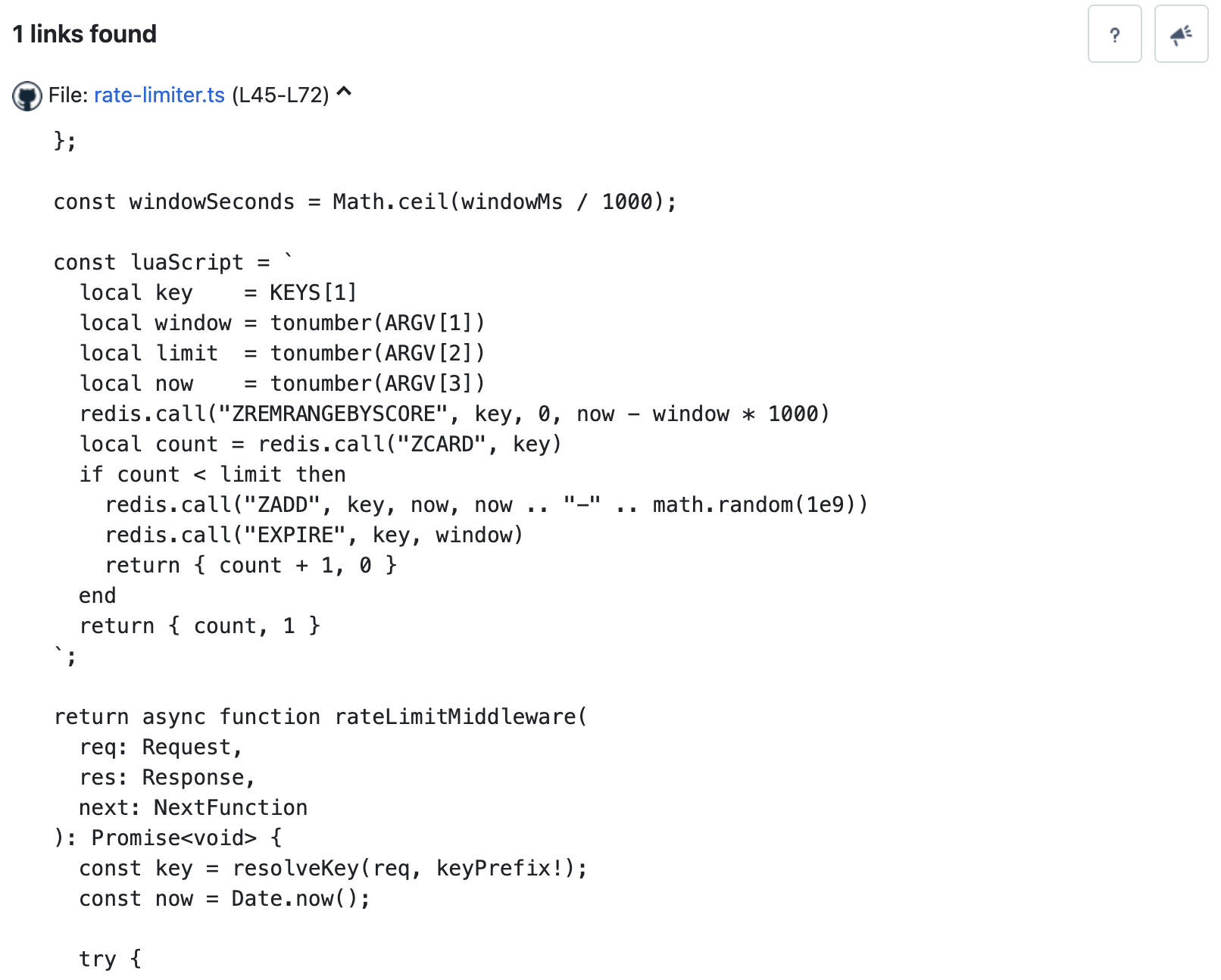
Line-specific code references in code review
A developer pastes a source file link with a line range anchor (e.g. https://github.com/org/repo/blob/main/src/auth.ts#L45-L72) into a Jira comment. The panel renders the specific highlighted lines of the file inline, so reviewers see the exact code being discussed without leaving Jira.
Updated: