

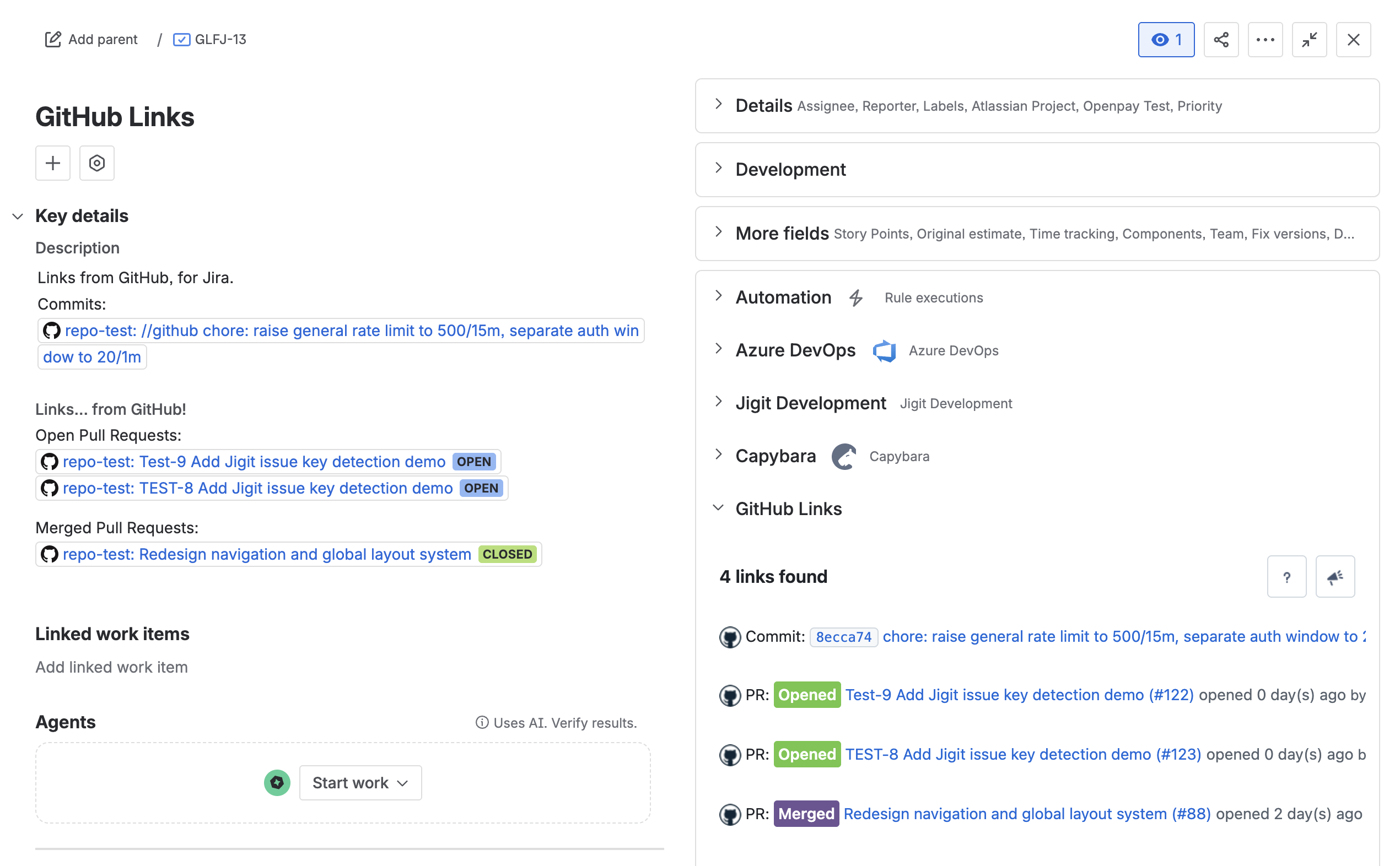
GitHub Links for Jira automatically enriches GitHub URLs pasted into Jira work items. When a developer pastes a pull request, commit, file, or any other supported GitHub link into an work item description, comment, or custom field, the GitHub Links panel in the right-hand sidebar displays live, up-to-date information pulled directly from GitHub, without anyone needing to leave Jira.
No manual linking, tagging, or per-issue configuration is required. GitHub Links detects URLs automatically and refreshes data each time the panel is opened.
In this guide
|
Page |
About |
|---|---|
|
How the Forge-based app detects GitHub URLs, fetches live data, and displays enriched cards in the Jira sidebar. |
|
|
Jira Cloud, an Atlassian Marketplace licence, and a GitHub account. Public links work without any GitHub connection. |
|
|
Install the app from the Atlassian Marketplace and connect a GitHub organisation or account. Performed once per Jira site by a Jira administrator. |
|
|
The built-in onboarding page available to admins from the GitHub Links admin menu: connection status, step-by-step guides, and quick links to support and documentation. |
|
|
How to start seeing GitHub data in Jira. No configuration needed - paste a GitHub URL into any work item and open the panel. |
|
|
Every GitHub entity the panel can render: pull requests, commits, issues, releases, source files, security alerts, and more. |
|
|
Anatomy of the GitHub Links panel: header buttons, card types, empty state, expandable cards, and Load more pagination. |
|
|
Using GitHub Links with *.ghe.com hosted GitHub Enterprise instances. The connection flow is identical to GitHub.com. |
|
|
Real-world examples of GitHub data displayed inside Jira work items. |
|
|
Common issues - panel not visible, links not detected, private repository cards failing - and how to resolve them. |
|
|
Where to report bugs, request features, book a support call, or find documentation. |
|
|
EULA, Privacy Policy, data handling practices, and Bug Bounty information. |
|
|
Frequently asked questions about setup, caching, multi-org support, licensing, and where to find the support link. |
Updated: