

Link a Jira work item to a dedicated Microsoft Teams channel so your team can discuss it in context. Each work item can have one linked channel.
Create a channel
-
From the work item, expand the Microsoft Teams section and select Create discussion channel
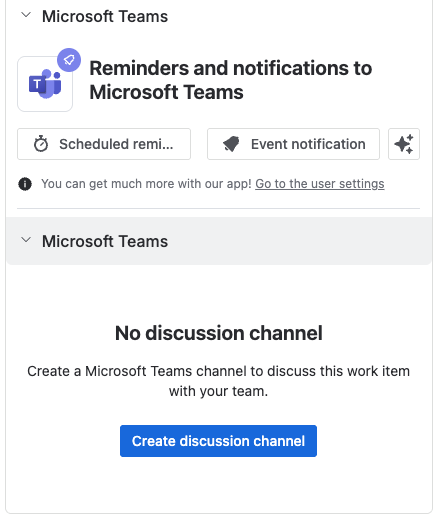
-
Alternatively click the … (more actions) menu, and select Microsoft Teams.
-
Log in to Microsoft Teams if prompted.
-
Select a Team and enter a channel name (pre-filled as
<ISSUE KEY> discussion). -
Click Create channel.
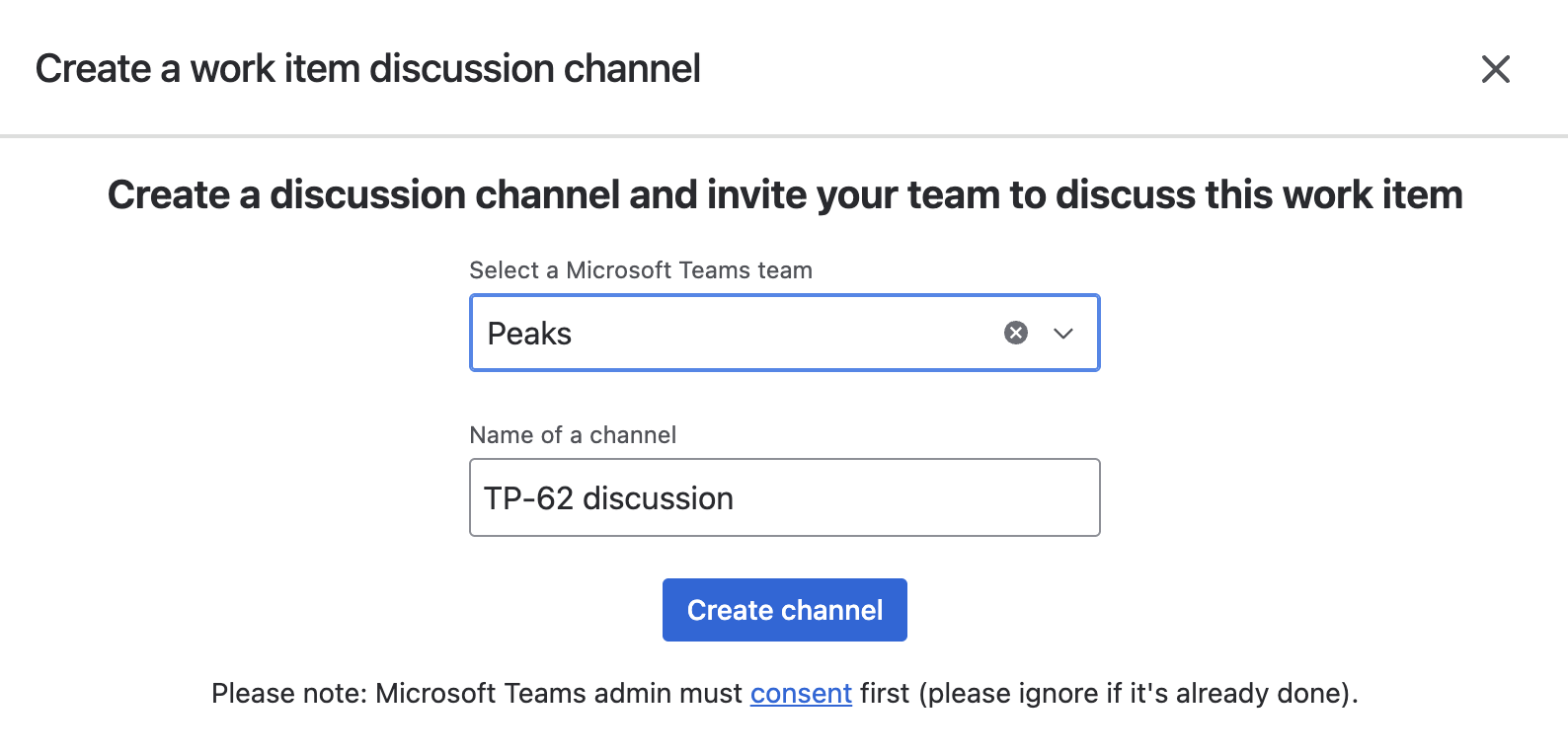
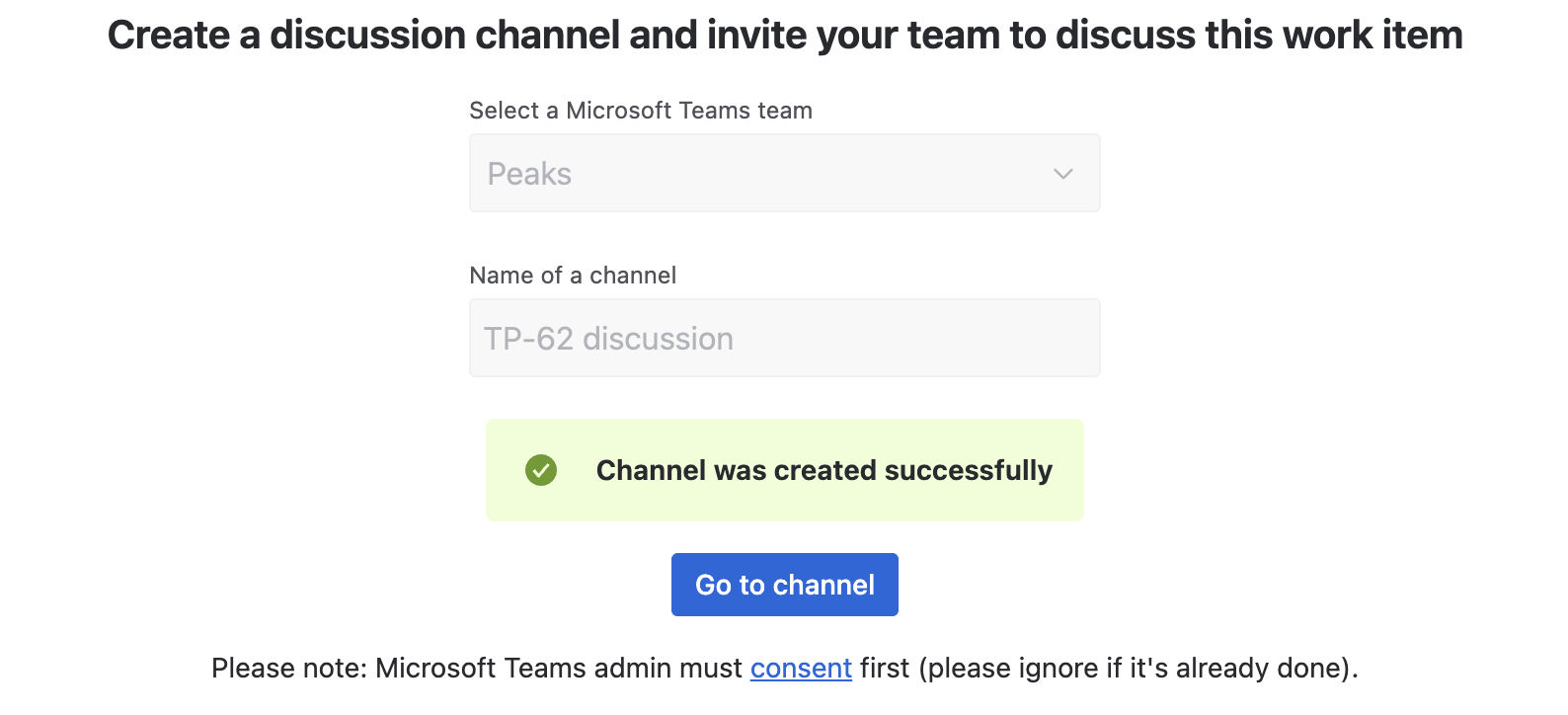
Relevant people on the work item (assignee, reporter, watchers) are automatically @mentioned in the new channel's first message, since the bot can add itself but can't auto-invite members into a public channel it just created.
Return to an existing channel
Open the work item's Microsoft Teams glance panel in the sidebar - once a channel exists, it shows a single Open in Microsoft Teams button.
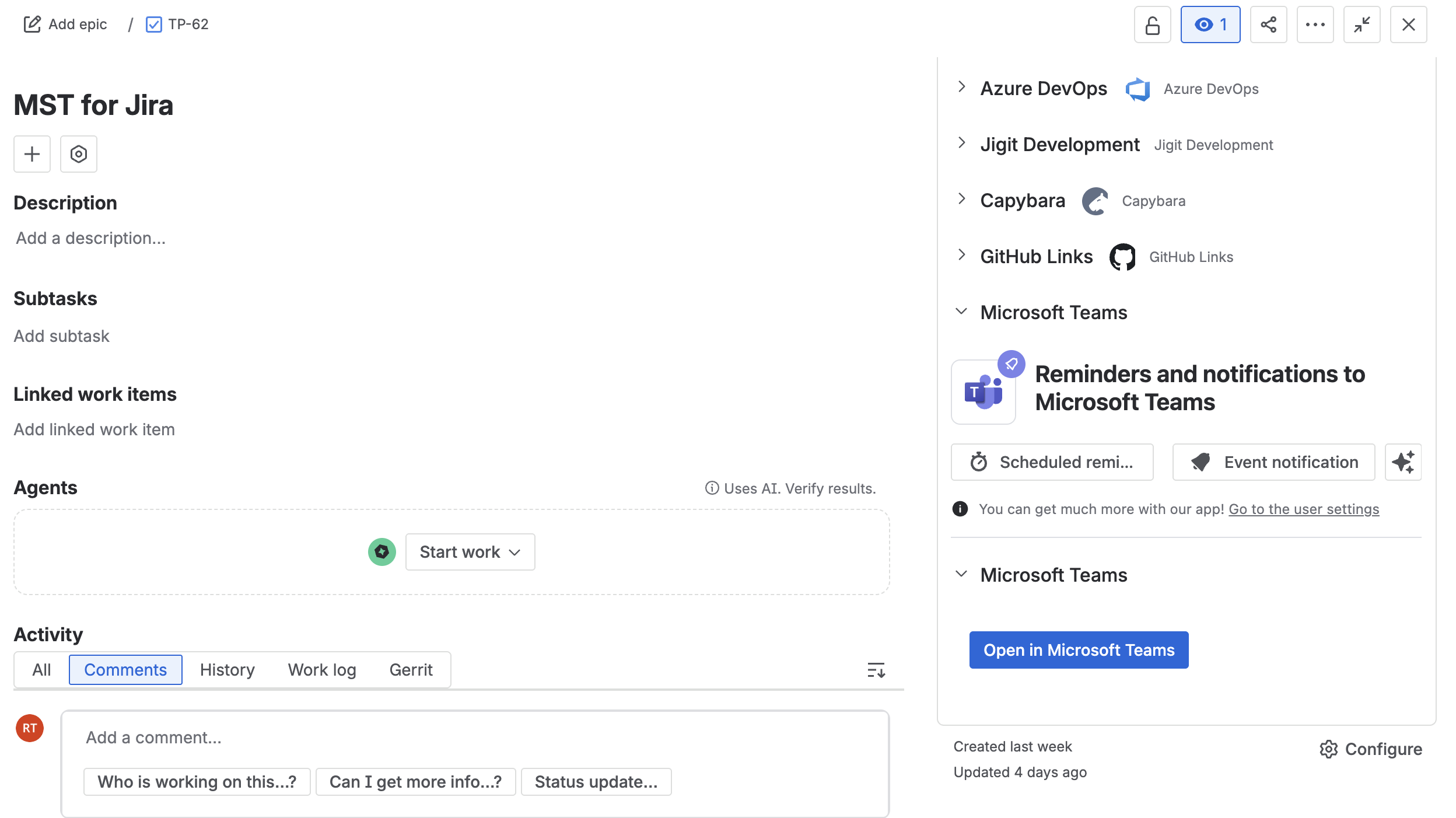
You can also say "Create a Teams discussion channel for this work item" to the Teams Connector Rovo Agent instead.
What's next
Updated: