

Choose exactly which Jira events notify you in Microsoft Teams, delivered to your own 1:1 chat with the bot.
Two ways to create a rule
|
Method |
Where |
Best for |
|---|---|---|
|
Full wizard |
Personal Configuration > Notifications > Create new notification |
Fine-grained rules across any project |
|
Quick editor |
A work item's Microsoft Teams panel > Event notification |
A fast one-off rule scoped to the item you're looking at |
|
Teams Connector Rovo Agent |
Chat with the AI assistant |
Describing what you want in plain language - see Teams Connector Rovo Agent |
Full wizard
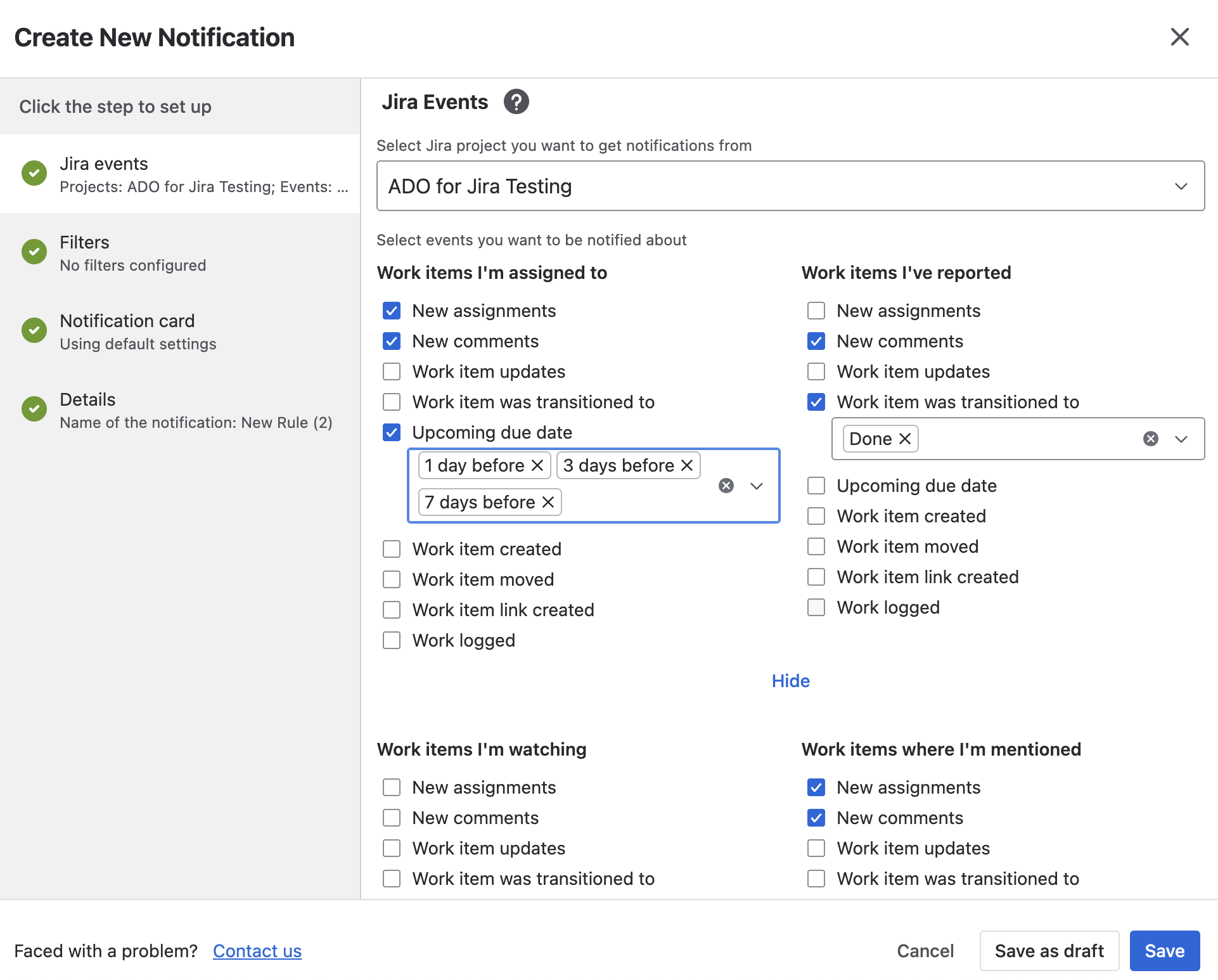
Personal rules group events by your relationship to the work item:
-
Work items I'm assigned to - "New assignments" and "New comments" are pre-checked
-
Work items I've reported - "New comments" are pre-checked
-
Work items I'm watching - starts empty
-
Work items where I'm mentioned - "New assignments" and "New comments" are pre-checked
Each category can also be narrowed to specific statuses, and an "Upcoming due date" event is available under Assignee/Reporter, letting you pick how many days before the due date to be notified (1, 2, 3, 5, 7, or 14 - default 3).
Filters (Basic only, no destination step) let you scope by project, priority, type, and labels - see Notification Rule Reference for the full list.
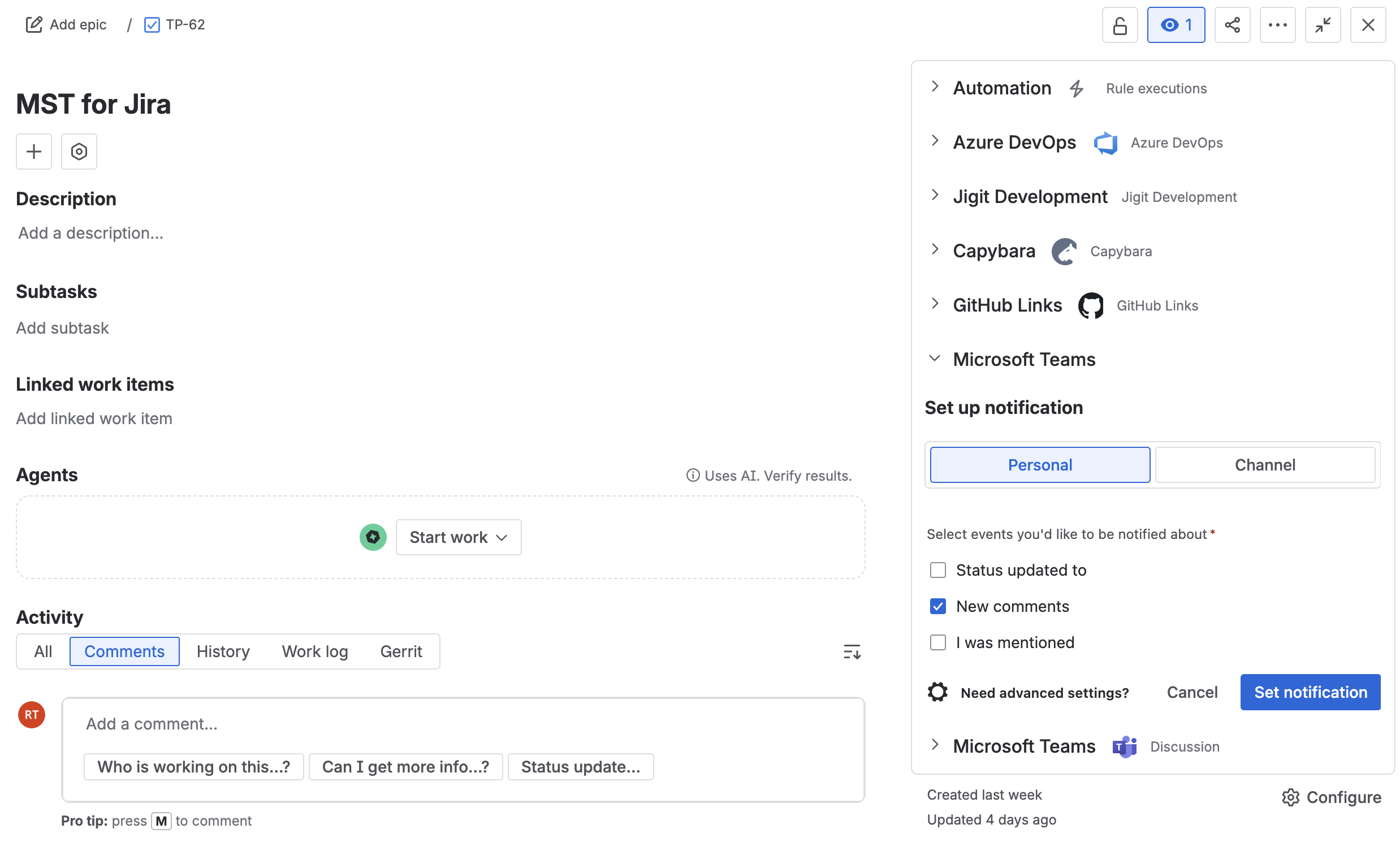
Quick editor (from a work item)
-
Open the work item's Microsoft Teams panel and click Event notification.
-
Choose Personal or Channel as the destination. Channel mode adds Team and Channel pickers.
-
Check at least one event: Status updated to (pick target statuses), New comments, or - Personal mode only - I was mentioned.
-
Click Set notification.
Managing your rules
The Notifications tab lists every personal rule with its events and destination at a glance; use the row's kebab menu to edit or delete. Toggle a rule off without deleting it via Enabled in the edit wizard's Details step.
What's next
Updated: