

Embedding live GitHub release data in Confluence provides an accurate, always-current record of what was shipped - no manual copy-pasting from GitHub.
Single release
Paste the URL of a specific release to display the release name, tag, author, published date, and the full release description (markdown rendered):
https://github.com/{owner}/{repo}/releases/tag/{tag-name}
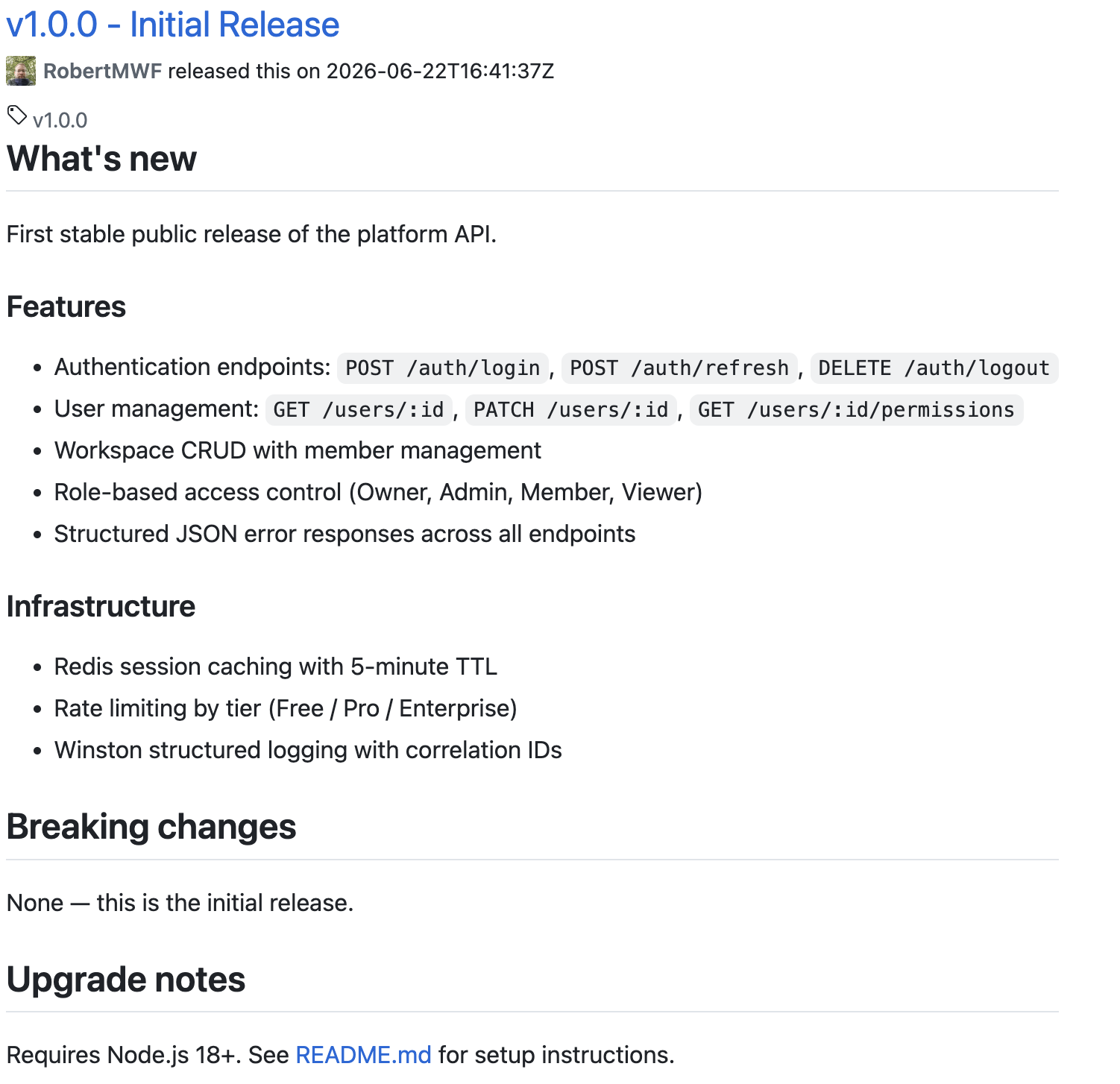
The card also shows Latest release, Draft, or Pre-release badges where applicable.
Latest release
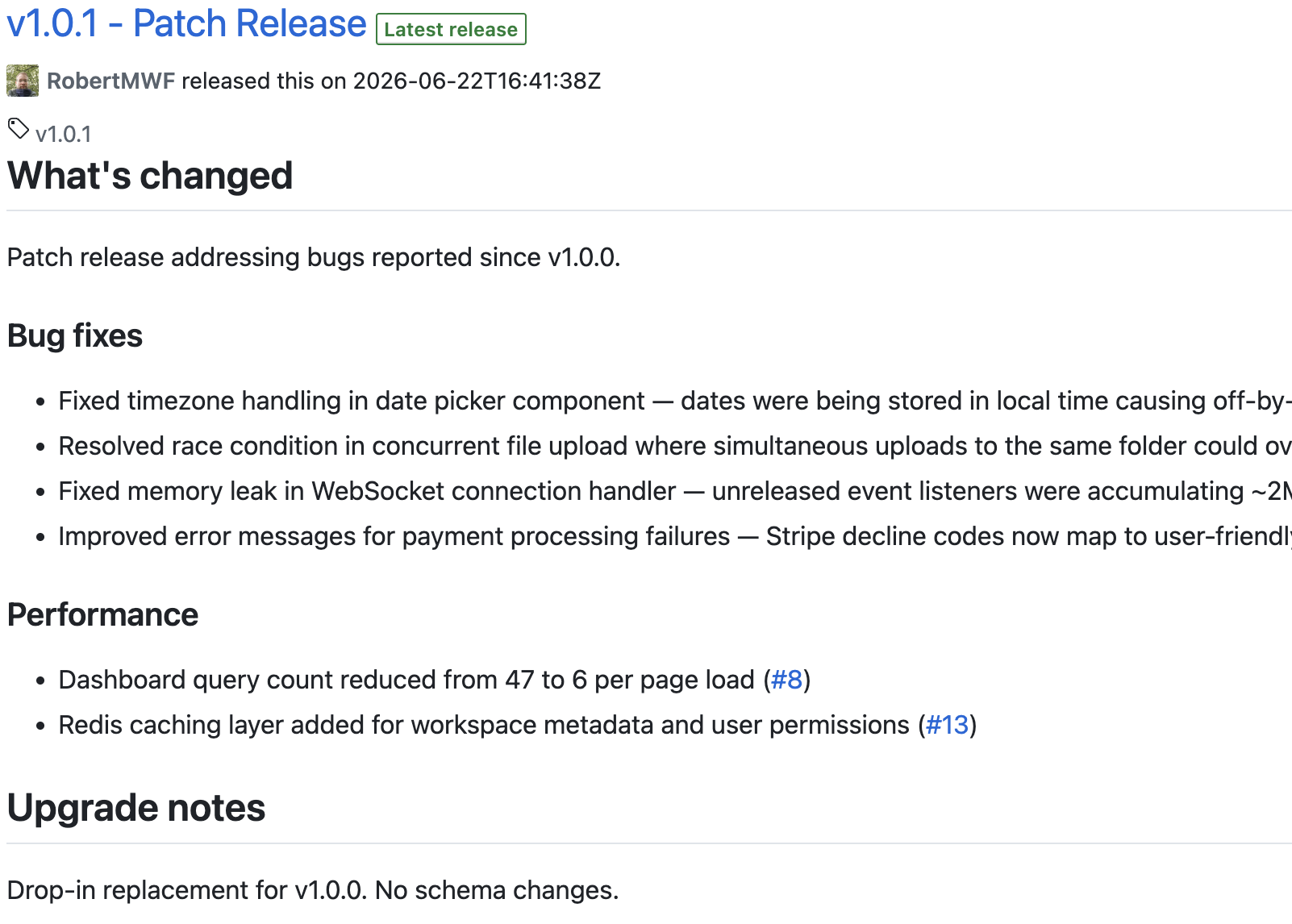
To always show the most recent published release - useful in living documents like product pages or README-style wiki entries:
https://github.com/{owner}/{repo}/releases/latest
Releases list
Embed a paginated list of all releases, with name, tag, and draft/pre-release state for each:
https://github.com/{owner}/{repo}/releases

Tags list
For repositories that use Git tags without formal GitHub Releases, embed the tags list to show tags alongside their commit SHA:
https://github.com/{owner}/{repo}/tags

Use releases when your team publishes formal GitHub Releases with descriptions. Use tags when your team uses lightweight tags only. Both are supported.
Commit - documenting a specific change
Reference the exact commit that introduced a feature or fixed a bug:
https://github.com/{owner}/{repo}/commit/{sha}

Compare - what changed between versions
Show the diff summary between two releases or tags - useful in migration guides, upgrade docs, and release blogs:
https://github.com/{owner}/{repo}/compare/{previous-tag}...{new-tag}

Delivery trend
To complement release documentation with delivery metrics, add the PR Throughput or PR Cycle Time macros to the same page. These show whether your release cadence is improving over time. See PR Throughput report and PR Cycle Time report.
Updated: